
Square Numbers Concept
Loading the math board and drawing, please wait…
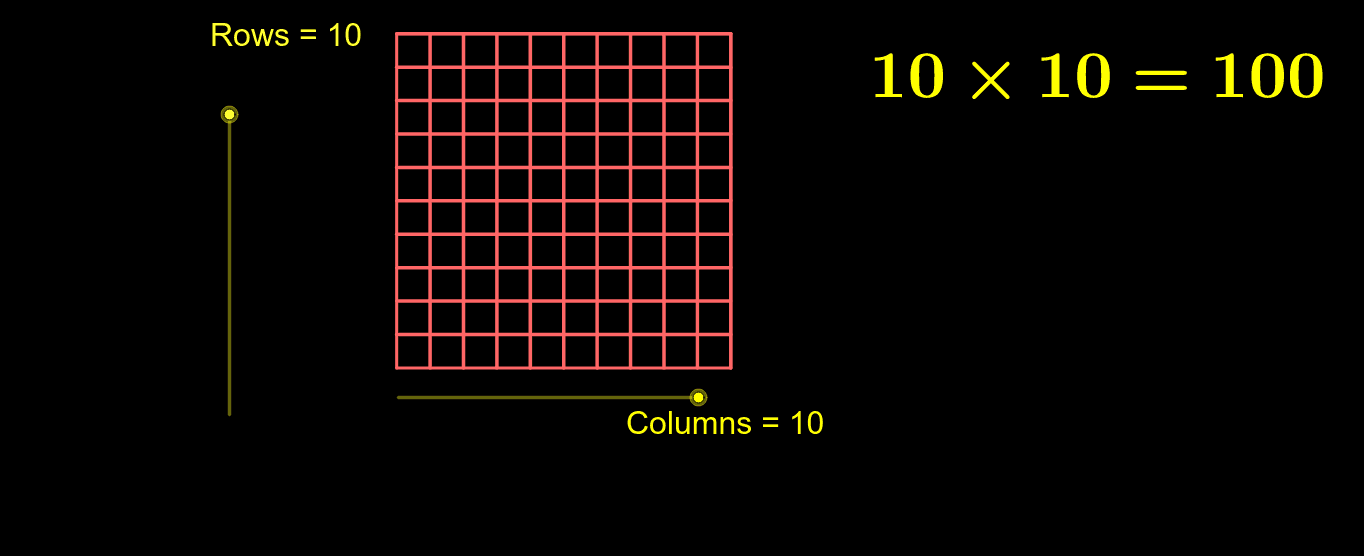
This example demonstrates the concept of square numbers through geometric figures. It involves the core mathematical concept of square numbers. Using GeoGebra commands such as Point, Segment, Circle, Polygon, etc., a series of squares are constructed, and the areas of these squares are shown through a sequence. Suitable for middle school and above students to learn the concept and geometric meaning of square numbers.
GeoGebra Commands & Parameters
Point(Circle[A, Columns]) → BSegment(A, B) → b_1OrthogonalLine(A, b_1) → cOrthogonalLine(B, b_1) → dCircle(A, Rows) → eIntersect(e, c, 2) → CLine(C, b_1) → fIntersect(d, f) → DPolygon(A, B, D, C) → poly1, a_1, b_2, d_1, c_1Sequence(Segment[A + i * (1, 0), C + i * (1, 0)], i, 1, Columns) → list1Sequence(Segment[A + i * (0, 1), B + i * (0, 1)], i, 1, Rows) → list2
AI Drawing Prompt Reference
Draw a series of squares to demonstrate the concept of square numbers. Start with points and construct squares and circles to sequentially draw squares with side lengths of 1, showing their areas. Each square is formed by connecting four vertices with line segments, where vertices are determined by intersections of circles and perpendicular lines. The squares are arranged in a sequence by columns and rows, visually illustrating the growth pattern of square numbers.
The prompt above was compiled from the original drawing commands and is for reference only.