
Square in a Triangle by Anthony OR 柯志明
Loading the math board and drawing, please wait…
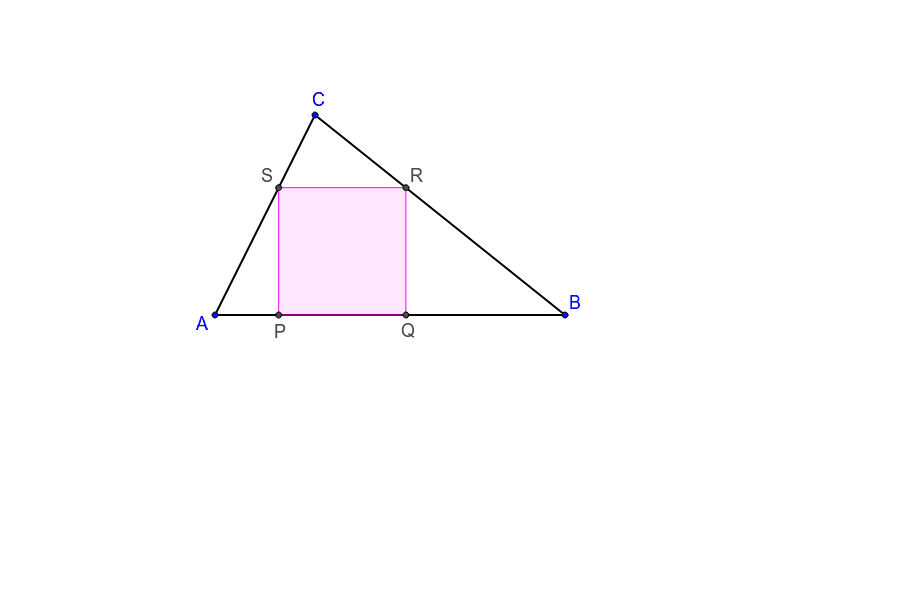
This example demonstrates how to construct a square inside a triangle, involving geometric construction, coordinate geometry, and trigonometric concepts. Key GeoGebra commands used include Segment, Point, OrthogonalLine, Intersect, Circle, Line, and Polygon. Suitable for high school mathematics teaching or geometric construction practice.
GeoGebra Commands & Parameters
Segment(A, B) → aSegment(B, C) → bSegment(C, A) → cPoint(a) → DOrthogonalLine(D, a) → dIntersect(d, c) → EOrthogonalLine(E, d) → eCircle(E, D) → fIntersect(f, e, 1) → FLine(A, F) → gIntersect(g, b) → ROrthogonalLine(R, a) → hOrthogonalLine(R, h) → iIntersect(i, c) → SOrthogonalLine(S, i) → jIntersect(h, a) → QIntersect(j, a) → PPolygon(S, R, Q, P) → poly1, h_1, g_1, i_1, j_1
AI Drawing Prompt Reference
Draw a triangle. Pick a point on one side and draw a perpendicular line from it to another side. From that intersection, draw another perpendicular line, and with the intersection as center and the distance to the first point as radius, draw a circle meeting the second perpendicular at a new point. Connect a triangle vertex to this new point, extending to the third side, giving one corner of the square. From this corner, drop a perpendicular to the base, then draw a line parallel to the base through the foot, meeting the other side. From that meeting point, draw a line parallel to the base to the base side, marking two more points. Connect these four points to form a square inscribed in the triangle.
The prompt above was compiled from the original drawing commands and is for reference only.