
Square Area Calculation and Vector Construction
Loading the math board and drawing, please wait…
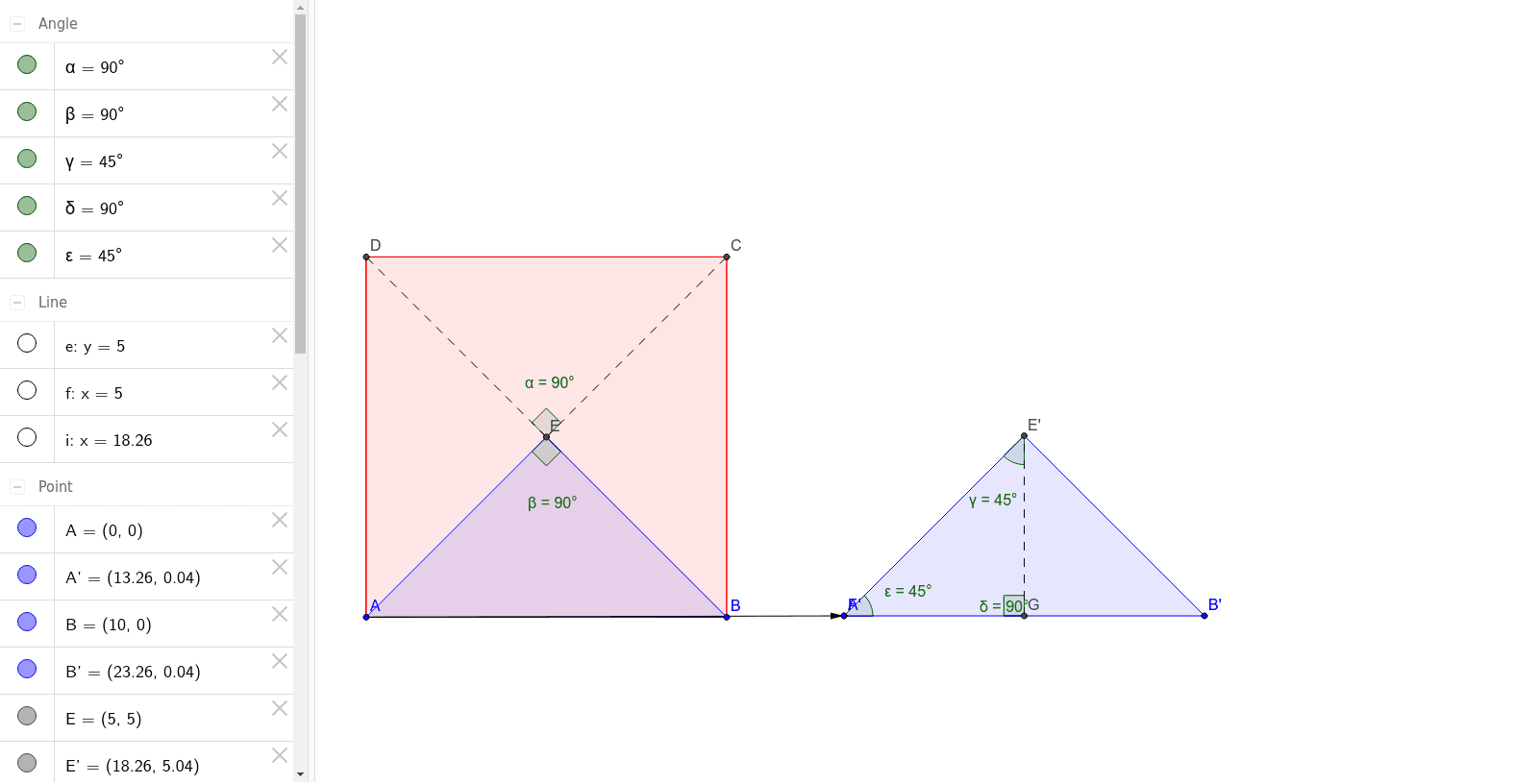
This example demonstrates the calculation of a square's area and vector construction processes. It involves core mathematical concepts such as area formulas, vector operations, geometric constructions, and matrix applications. Key GeoGebra commands used include Polygon, LineBisector, Intersect, Segment, Angle, Vector, Translate, and OrthogonalLine for drawing squares, bisecting angles, calculating intersections, vector translations, and constructing orthogonal lines. Suitable for high school mathematics teaching, covering vector geometry, analytical geometry techniques, and problem-solving skills.
GeoGebra Commands & Parameters
Polygon(A, B, 4) → poly1, a, b, c, d, C, DLineBisector(d) → eLineBisector(c) → fIntersect(e, f) → EPolygon(A, E, B) → poly2, b_1, a_1, e_1Segment(E, D) → gSegment(E, C) → hAngle(C, E, D) → αAngle(A, E, B) → βVector(A, F) → uTranslate(A, u) → A'Translate(E, u) → E'Translate(B, u) → B'Polygon(A', E', B') → poly2', b', a', e'OrthogonalLine(E', e') → iIntersect(i, e') → GSegment(G, E') → jAngle(F, E', G) → γAngle(E', G, F) → δAngle(G, F, E') → ε
AI Drawing Prompt Reference
Draw a square and demonstrate the calculation of its area and vector construction. Start by creating a square, then find the midpoints of the diagonals and draw angle bisectors. Connect these midpoints to the vertices of the square to form a new quadrilateral. Next, draw vectors from the vertices and use vector translation to construct new shapes. Finally, draw a line perpendicular to the translated vector and find the intersection points to create additional geometric relationships.
The prompt above was compiled from the original drawing commands and is for reference only.