
Sphere Interactive Demo
Loading the math board and drawing, please wait…
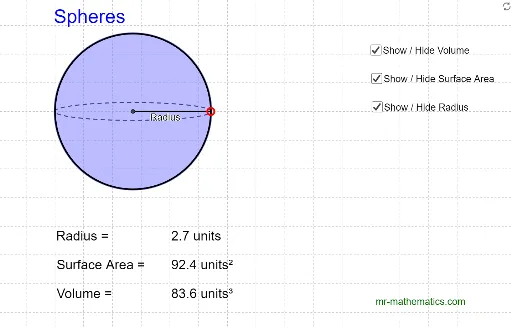
This example demonstrates the geometric properties and interactive operations of a sphere, involving core math concepts like sphere, scalene triangles, quadratic equations, normal distribution, Poisson distribution, and similar triangles. It is constructed using GeoGebra commands such as Line, Point, Ellipse, Intersect, Segment, Midpoint, Circle, and is suitable for high school mathematics learners and teachers for geometry and probability & statistics education.
GeoGebra Commands & Parameters
Line(A, B) → aPoint(a) → DPoint(a) → FEllipse(D, F, G) → cIntersect(c, a, 1) → HIntersect(c, a, 2) → ISegment(H, I) → bMidpoint(b) → JCircle(J, I) → dCircle(J, F) → eSegment(J, F) → fLine(A_1, B_1) → a_1Point(a_1) → D_1Point(a_1) → F_1Ellipse(D_1, F_1, G_1) → c_1Intersect(c_1, a_1, 1) → H_1Intersect(c_1, a_1, 2) → I_1Segment(H_1, I_1) → b_1Midpoint(b_1) → J_1Circle(J_1, I_1) → d_1Circle(J_1, F_1) → e_1Segment(J_1, F_1) → f_1Line(A_2, B_2) → a_2Point(a_2) → D_2Point(a_2) → F_2Ellipse(D_2, F_2, G_2) → c_2Intersect(c_2, a_2, 1) → H_2Intersect(c_2, a_2, 2) → I_2Segment(H_2, I_2) → b_2Midpoint(b_2) → J_2Circle(J_2, I_2) → d_2Circle(J_2, F_2) → e_2Segment(J_2, F_2) → f_2
AI Drawing Prompt Reference
Create three identical geometric scenes arranged in parallel. In each scene, draw a horizontal line with two movable points on it. Using these two points and a fixed third point, construct an ellipse that intersects the line at two points. Connect these intersection points to form a segment, then find its midpoint. Draw two circles centered at this midpoint, one passing through each intersection point, and connect the midpoint to one of the movable points with a segment. This illustrates sphere-related geometric properties and interactive operations.
The prompt above was compiled from the original drawing commands and is for reference only.