
Sphere and Plane Intersection GeoGebra Sketch
Loading the math board and drawing, please wait…
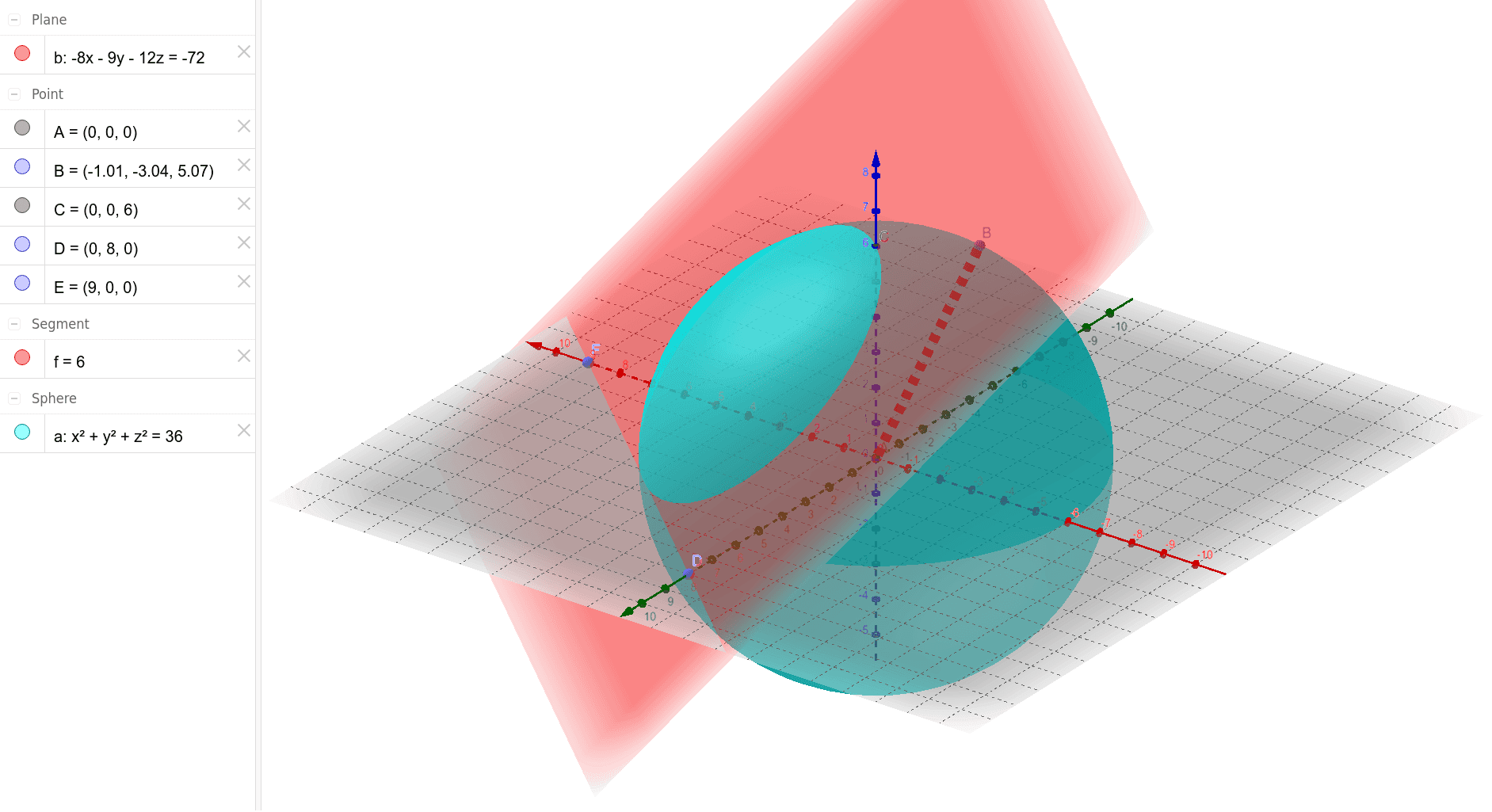
①This example demonstrates how to construct the intersection of a sphere and a plane in GeoGebra's 3D view, revealing the resulting circle and related points/segments. ②Core math concepts include solid geometry: the intersection of a plane with a sphere, spatial points, segments, vectors, and coordinate relationships. ③Construction highlights: from the summary, commands such as Intersect, Sphere, PointIn, Segment, Point, and Plane are used, with objects A, a, B, f, C, D, E, b defined—likely representing sphere center, radius, plane, and intersection points. ④Suitable for high school or early college students learning solid geometry or spatial analytic geometry, and as a teaching example for 3D construction in GeoGebra, illustrating fundamental spatial figure building and interactive manipulation.
GeoGebra Commands & Parameters
Intersect(zAxis, xOyPlane) → ASphere(A, 6) → aPointIn(a) → BSegment(B, A) → fIntersect(zAxis, a, 2) → CPoint(yAxis) → DPoint(xAxis) → EPlane(C, D, E) → b
AI Drawing Prompt Reference
In 3D space, draw a sphere centered at the origin with radius 6. Pick an arbitrary point on the sphere's surface and connect it to the center to form a radius segment. Then, find another intersection point of the vertical axis with the sphere, and choose one point on each of the horizontal axes (x and y). Use these three points to define a plane that cuts through the sphere, revealing a circular intersection. Clearly show the sphere, the plane, the intersection circle, the center, the radius segment, and the three defining points, with all key points labeled.
The prompt above was compiled from the original drawing commands and is for reference only.