
Special Right Triangles by Andrew
Loading the math board and drawing, please wait…
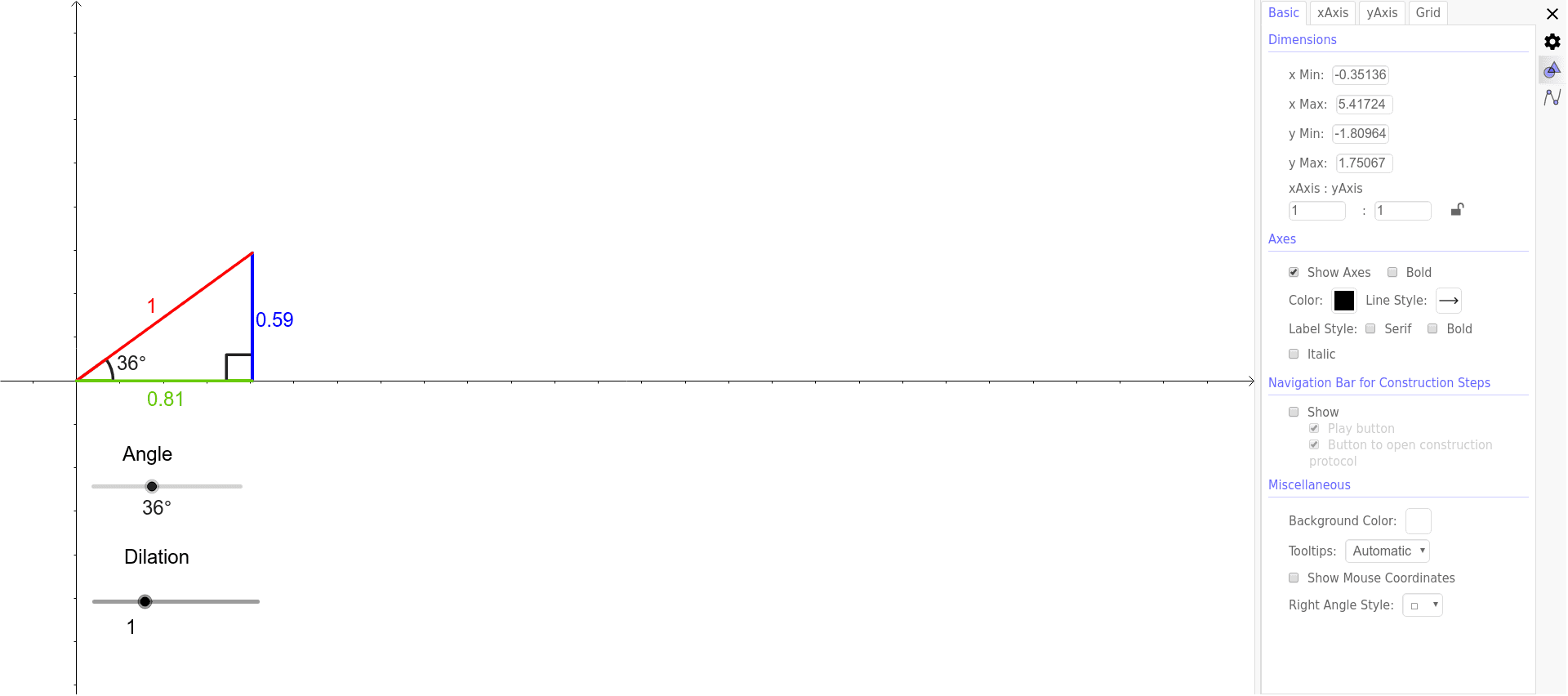
This example demonstrates the geometric properties and constructions of two types of special right triangles: 30°-60°-90° and 45°-45°-90°. It involves core mathematical concepts such as right triangles, trigonometry, angle relationships, and side length ratios. The construction uses GeoGebra commands like Intersect, Point, Circle, Line, Rotate, OrthogonalLine, Segment, Angle, Polygon, and Dilate. It is suitable for high school students to learn and understand the properties of special right triangles, useful for geometric constructions and concept verification.
GeoGebra Commands & Parameters
Intersect(xAxis, yAxis) → APoint(xAxis) → BCircle(A, B) → cPoint(xAxis) → DLine(A, D) → bIntersect(c, xAxis, 1) → FRotate(F, α, A) → POrthogonalLine(P, b) → a_2Intersect(b, a_2) → CSegment(P, C) → dSegment(A, P) → eIntersect(b, e) → ESegment(C, E) → fAngle(E, C, P) → γAngle(C, A, P) → βPolygon(A, C, P) → poly1, p, a_1, c_1Dilate(A, a, G) → A'Dilate(C, a, G) → C'Dilate(P, a, G) → P'Polygon(A', C', P') → poly1', p', a', c'
AI Drawing Prompt Reference
Draw a right triangle to demonstrate the geometric properties of 30°-60°-90° and 45°-45°-90° special right triangles. Start by plotting coordinate axes and finding their intersection. Draw a circle centered at one axis point, intersecting the other axis. Create perpendicular and rotated segments to form the special triangles, highlighting side length ratios. Show two similar triangles by dilating one from the intersection point.
The prompt above was compiled from the original drawing commands and is for reference only.