
Solving Two-Step Equations by MJ Baclay
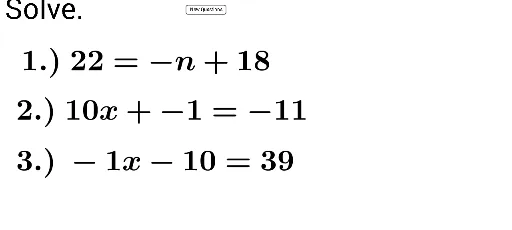
Loading the math board and drawing, please wait…
This example demonstrates solving two-step equations. Key mathematical concepts include the methods of solving equations. Using GeoGebra commands such as Random and Textfield, the process of solving equations is dynamically illustrated. Suitable for middle school mathematics education.
GeoGebra Commands & Parameters
Random(-20, 20) → eRandom(-50, 50) → iRandom(-20, 20) → hRandom(-50, 50) → lRandom(-20, 20) → fRandom(-20, 20) → gRandom(-12, 12) → dRandom(-100, 100) → mRandom(-12, 12) → cRandom(-100, 100) → nRandom(-100, 100) → oRandom(-50, 50) → jRandom(-12, 12) → bRandom(-12, 12) → aRandom(-100, 100) → pRandom(-100, 100) → qTextfield(a_1) → inputBox1Textfield(a_2) → inputBox2Textfield(a_3) → inputBox3Textfield(a_4) → inputBox4Textfield(a_5) → inputBox5Textfield(a_6) → inputBox6Textfield(a_7) → inputBox7Textfield(a_8) → inputBox8Random(-50, 50) → k