
Solving Linear Equations via Line Intersection
Loading the math board and drawing, please wait…
In collections
Linear equations
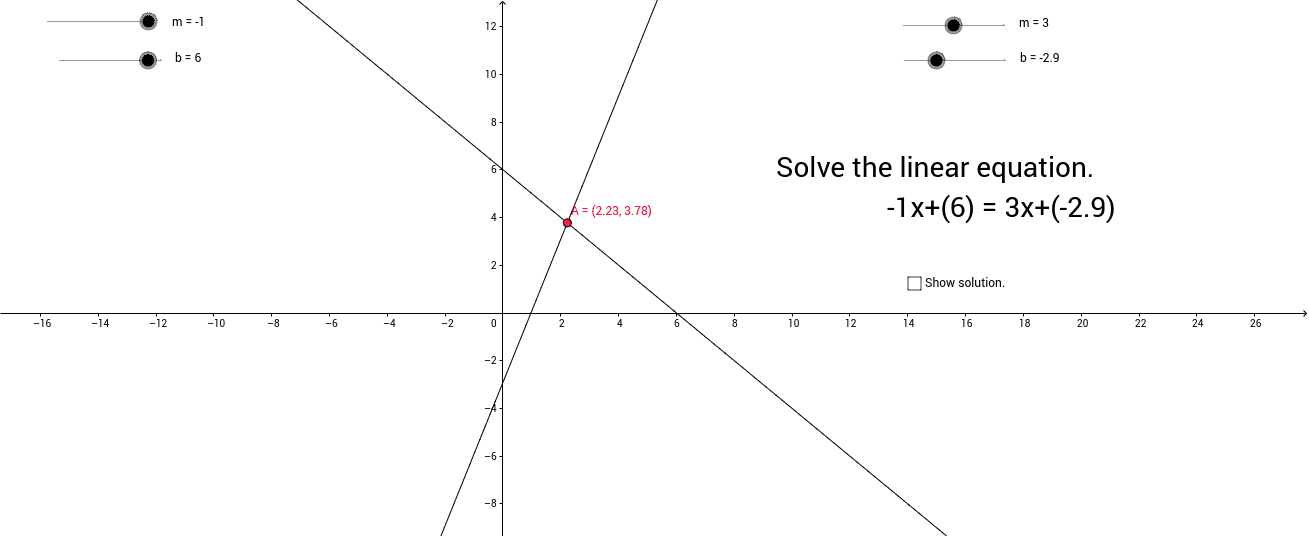
This GeoGebra example demonstrates solving a linear equation by locating the x-coordinate of the intersection point of two linear function graphs. It visually connects the algebraic process of solving a system of linear equations with its geometric representation, showing that the solution corresponds to the x-value where the graphs meet. Core mathematical concepts include linear equations, systems of equations, function graphs, and coordinate geometry. The construction employs the Intersect command to find the intersection of two lines, supplemented by text objects to label the intersection point and its x-coordinate as the equation's solution. It is well-suited for middle school and high school algebra and functions units, helping students bridge algebraic manipulation and graphical interpretation. Keywords: linear equations, system of equations, intersection, coordinate geometry, function graphs, GeoGebra.
GeoGebra Commands & Parameters
Intersect(f, g) → A
AI Drawing Prompt Reference
Draw two straight lines representing linear functions, find their intersection point, and label the x-coordinate of the intersection with text, showing how the algebraic solution corresponds to the geometric representation of solving a system of linear equations.
The prompt above was compiled from the original drawing commands and is for reference only.