
Solve a System of Linear Equations by Terry Lee Lindenmuth
Loading the math board and drawing, please wait…
In collections
Geom. & Alg.: Systems Equations & Linear Programming
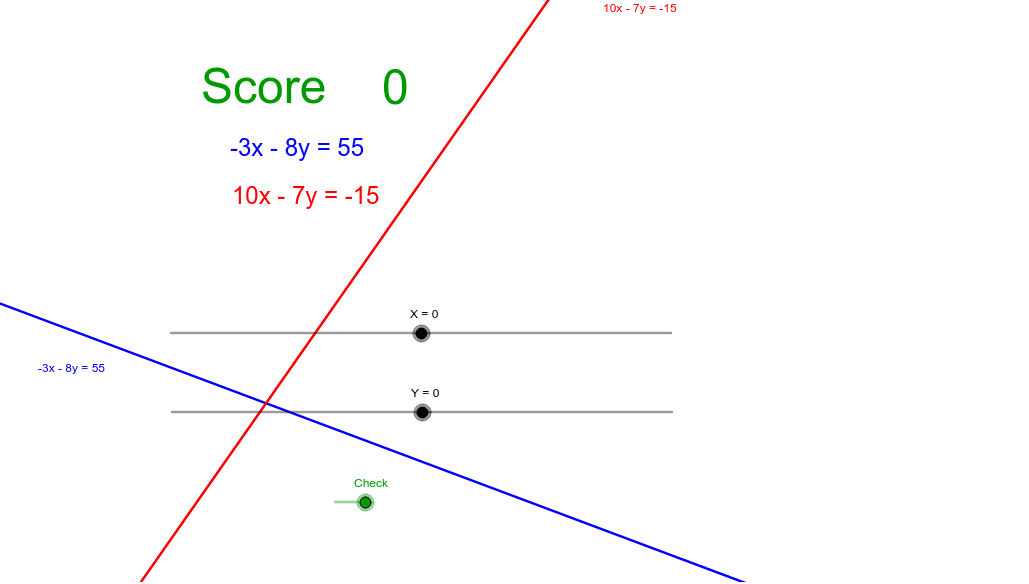
This example demonstrates how to find the solution of a system of linear equations by adjusting sliders. By moving the sliders, you can find the solution point (X,Y). If the answer is correct, you will receive a point. The core mathematical concepts involved include solving systems of linear equations. The GeoGebra commands used include Line, Text, If, etc. Suitable for students at the junior high school level and above to learn about solving systems of linear equations.
GeoGebra Commands & Parameters
Line(B, A) → aLine(C, A) → bText(score) → text1If(A ≟ (X, Y), 1, 0) → addptText(a) → text3Text(b) → text4
AI Drawing Prompt Reference
Draw two lines passing through points A and B, and A and C respectively. Adjust point A to make the intersection of the two lines coincide with point (X, Y). When the intersection is correct, a point will be awarded.
The prompt above was compiled from the original drawing commands and is for reference only.