
Slope-Intercept Form Equation Guessing Game
Loading the math board and drawing, please wait…
In collections
Games
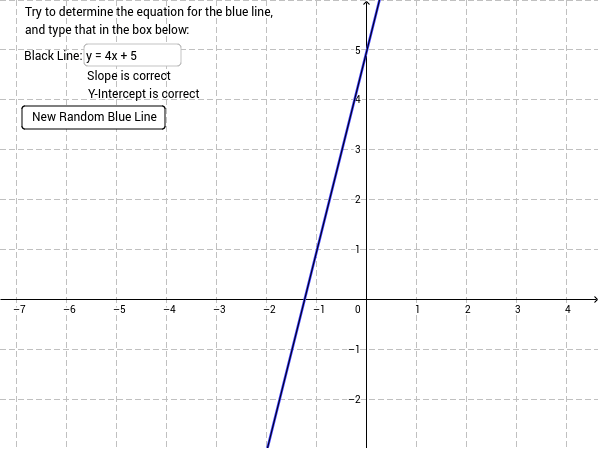
① This interactive worksheet randomly graphs a line and asks students to input the correct slope-intercept equation (y=mx+b), providing immediate feedback on correctness. ② The core mathematical concept is the slope-intercept form of a linear function, emphasizing the geometric meaning of slope (m) and y-intercept (b) in the coordinate plane. ③ Construction uses GeoGebra commands such as Textfield for the input box, a button (button1) to trigger checking, variables a, b, c, d, e to store random parameters and user responses, and text objects (text1, text2, text3) for prompts and results, making the setup straightforward and interactive. ④ Suitable for middle or high school students learning linear functions and equations of lines, as well as for teachers to use in classroom demonstrations or for self-paced practice to reinforce understanding of slope-intercept form.
GeoGebra Commands & Parameters
Textfield(e) → inputBox1
AI Drawing Prompt Reference
Create an interactive coordinate plane for a slope-intercept equation guessing game. A random straight line is graphed on the grid, with a text input box where the user can type the equation in y=mx+b form. A check button is placed nearby to submit the answer, and feedback text appears to indicate correctness. The plane includes labeled axes and grid lines, making the line's slope and y-intercept visually clear. The layout is clean and suitable for classroom practice or self-study.
The prompt above was compiled from the original drawing commands and is for reference only.