
Slope and y-intercept
Loading the math board and drawing, please wait…
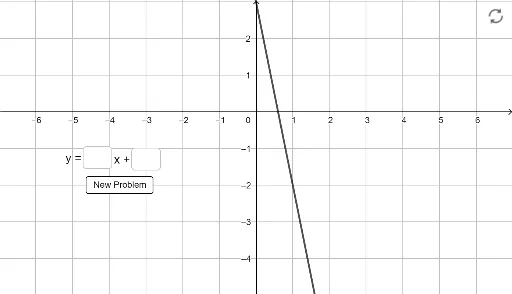
This example demonstrates the concepts of slope and y-intercept of a line. Key mathematical concepts include the slope and y-intercept of a linear equation. By inputting the coefficients of the line equation, the slope and y-intercept are automatically calculated and displayed. The construction summary uses commands such as Random, Textfield, button1, ans1, a, sola, b, solb, ans2, f, empty2, empty1, InputBox1, and InputBox2 in GeoGebra. Suitable for middle school and above students to learn linear equations and geometric construction.
GeoGebra Commands & Parameters
Random(-10, 10) → aRandom(-10, 10) → bTextfield(empty1) → InputBox1Textfield(empty2) → InputBox2
AI Drawing Prompt Reference
Draw a line and display its slope and y-intercept. Randomly generate the slope and y-intercept coefficients of the line and display them in input boxes. Use a button to control the visibility of the line and show the values of the slope and y-intercept in text boxes. Suitable for middle school students to learn about linear equations and geometric constructions.
The prompt above was compiled from the original drawing commands and is for reference only.