
Slide Puzzle
Loading the math board and drawing, please wait…
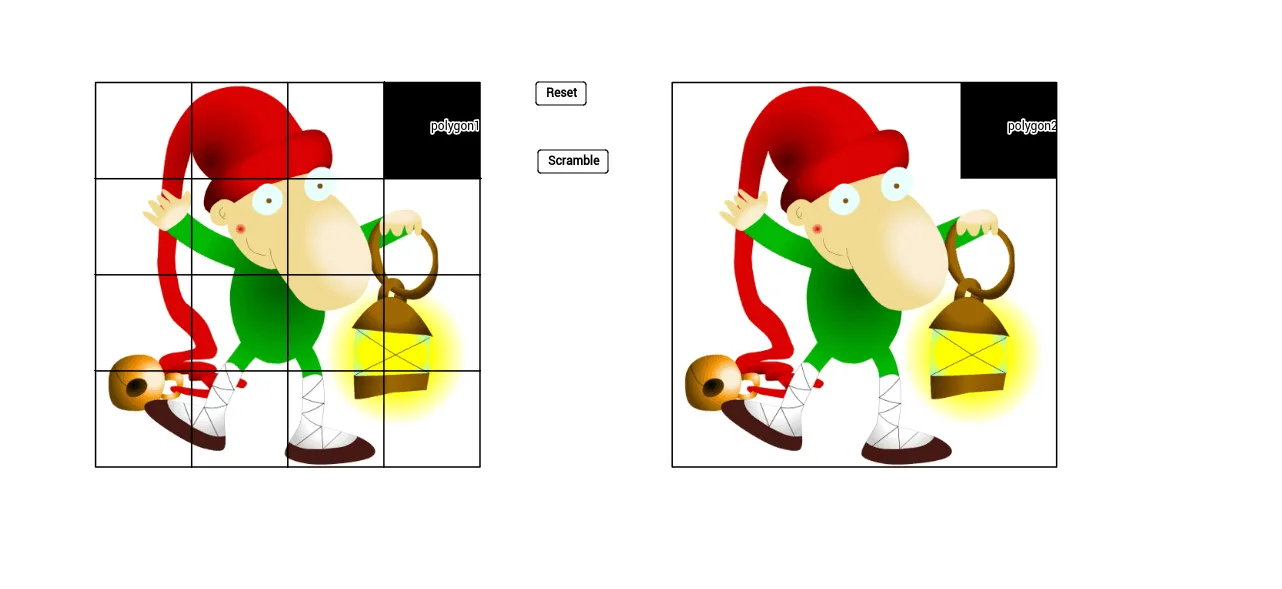
This example demonstrates a slide puzzle involving logic and geometric construction. Using commands like Point, PolyLine, Sequence, and Polygon in GeoGebra, users can create and manipulate puzzle pieces. Suitable for teaching logical thinking and geometric construction.
GeoGebra Commands & Parameters
Point(points) → APolyLine((0, 0), (8, 0), (8, 8), (0, 8), (0, 0)) → framePoint(points) → BPoint(points) → DPoint(points) → EPoint(points) → FPoint(points) → GPoint(points) → HPoint(points) → IPoint(points) → JPoint(points) → KPoint(points) → LPoint(points) → MPoint(points) → NPoint(points) → OSequence(Segment[(i, 0), (i, 8)], i, 2, 6, 2) → list1Sequence(Segment[(0, i), (8, i)], i, 2, 6, 2) → list2Polygon((x(Z) - 1, y(Z) - 1), (x(Z) + 1, y(Z) - 1), (x(Z) + 1, y(Z) + 1), (x(Z) - 1, y(Z) + 1)) → polygon1, a, b, c, dIf(t ≟ 10, false, true) → scrambleSequence(If[Distance[Z, Element[points2, i]] ≟ 2, Element[points2, i]], i, 1, 15) → closepointsRemoveUndefined(closepoints) → closepointscleanCountIf(true, howmany, closepointsclean) → howmanyRandom(1, howmany) → iPolygon((18, 8), (20, 8), (20, 6), (18, 6)) → polygon2, e, f, g, hIndexOf((3, 7), points) → jTranslate(frame, (12, 0)) → frame'
AI Drawing Prompt Reference
Draw an 8x8 grid and place 15 sliding puzzle pieces inside it. First, draw an 8x8 frame, then place 15 points as puzzle pieces inside the frame. Use sequence commands to create vertical and horizontal lines to divide the frame into smaller areas. Finally, move the puzzle pieces to achieve the sliding puzzle effect.
The prompt above was compiled from the original drawing commands and is for reference only.