
Sketching Second Derivatives
Loading the math board and drawing, please wait…
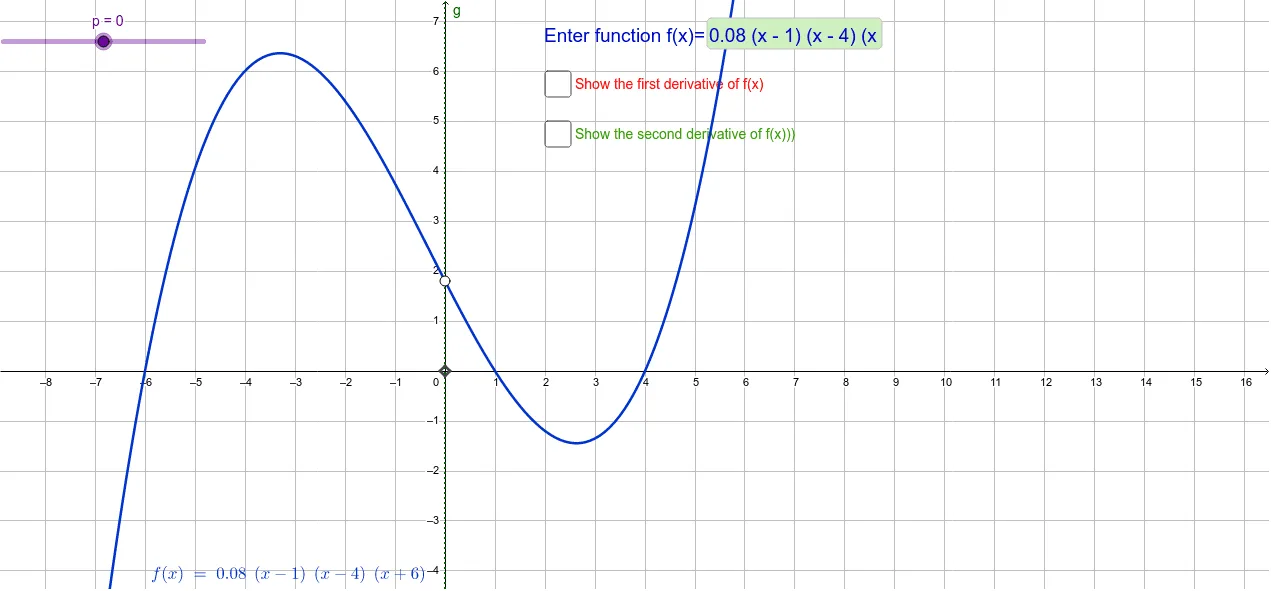
This example demonstrates how to sketch the second derivative of a function and analyze its geometric relationship with the original function. Key math concepts include derivatives, second derivatives, function graphs, symmetry, and equation solving. Construction highlights involve using commands like Textfield, Derivative, and Intersect with objects such as function f, InputBox1, first derivative f', intersection point p, auxiliary function g, points A/B/P, second derivative f'', circle C, and parameters a/b. Suitable for high school and above students studying calculus to understand concavity and the application of second derivatives.
GeoGebra Commands & Parameters
Textfield(f) → InputBox1Derivative(f) → f'Intersect(f', g, (0, -1.95)) → AIntersect(f, g, (0, 1.7999999999999998)) → BDerivative(f') → f''Intersect(f'', g, (0, 0.1499999999999999)) → C