
Sine Wave Addition
Loading the math board and drawing, please wait…
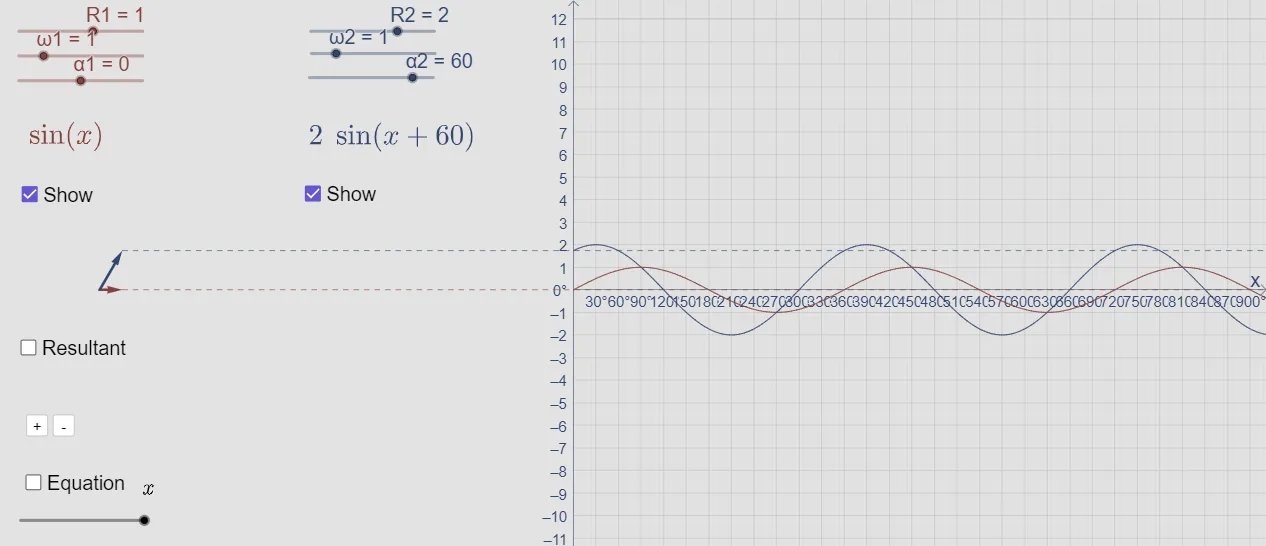
This example demonstrates the addition of two sine waves. Key mathematical concepts include trigonometric functions and the addition of sine waves. Using GeoGebra commands such as Vector, Segment, and Max, the example dynamically shows the addition of sine waves. Suitable for high school mathematics education and learning.
GeoGebra Commands & Parameters
LaTeX(h, true, false) → text1Vector(O, B1) → v1Vector(O, B2) → v2Vector(O, A) → uSegment(B1, C1) → jSegment(B2, C2) → kVector(A, B) → wLaTeX(s, true, false) → text4Max(r, 0, 180) → CVector(C, (0, y(C))) → dVector(C, (x(C), 0)) → eLaTeX(t) → text2
AI Drawing Prompt Reference
Create a coordinate-plane diagram illustrating the addition of two sine waves. Start with a fixed origin and two direction vectors that define two separate sine-wave components. Draw line segments corresponding to these components, then form a resultant displacement by taking the vector from one key point to the other end. Constrain the relevant angle to the interval from 0 to 180 degrees and place an angle label near that angle position. From the angle point, project using the corresponding sine and cosine values to construct two vector components aligned with the vertical and horizontal axes, visually conveying how the two sine-wave contributions combine into the resultant.
The prompt above was compiled from the original drawing commands and is for reference only.