
Sine Function Demo by GMMDC
Loading the math board and drawing, please wait…
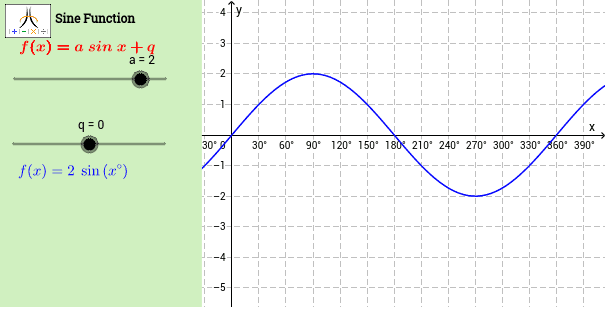
This example dynamically demonstrates the sine function, showing its geometric meaning on the unit circle. It involves core concepts like sine function, special points, indefinite integral, arithmetic operations, Poisson distribution, and unit circle. Construction highlights use of GeoGebra commands Corner and Polygon to create function graphs, unit circles, and special point annotations. Suitable for high school mathematics teaching to understand the combination of trigonometry and analytical geometry.
GeoGebra Commands & Parameters
Corner(1, 1) → Cnr1Corner(1, 2) → Cnr2Corner(1, 3) → Cnr3Corner(1, 4) → Cnr4Polygon(CN1, CN2, CN3, CN4) → Panel, cn1, cn2, cn3, cn4Polygon(Cnr1, Cnr2, Cnr3, Cnr4) → Frame, cnr1, cnr2, cnr3, cnr4
AI Drawing Prompt Reference
Create a demonstration of the sine function showing its geometric meaning on a unit circle. Start by drawing a square, then use its four corners to draw a unit circle. Mark special points on the circle and connect them to form the sine function graph. Also, display the indefinite integral of the sine function and annotate the special points to illustrate the combination of trigonometry and analytical geometry.
The prompt above was compiled from the original drawing commands and is for reference only.