
Sine Cosine Tangent Simulator
Loading the math board and drawing, please wait…
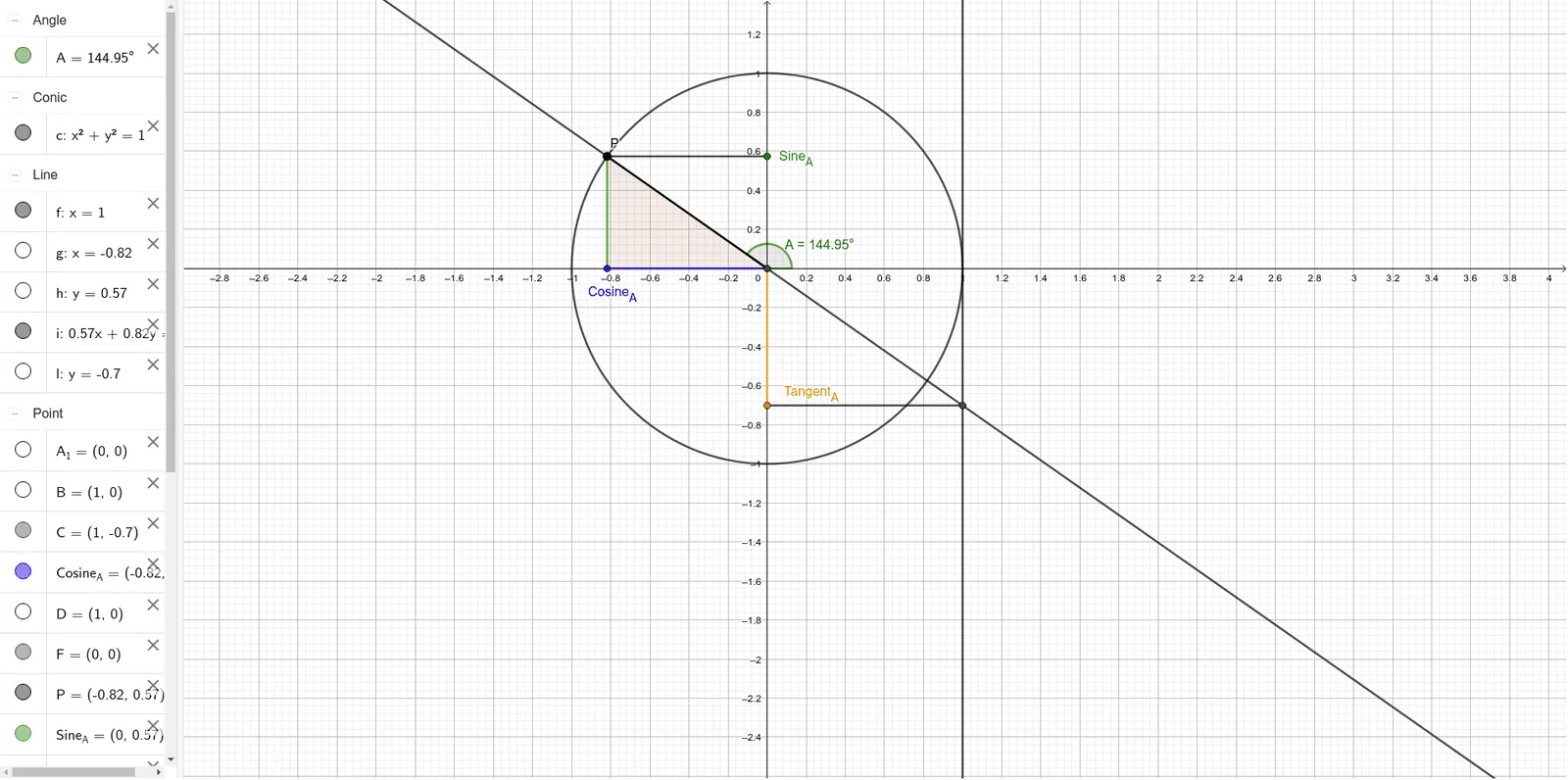
This example demonstrates the graphical relationships between sine, cosine, and tangent functions, along with their geometric interpretations using a unit circle and right triangles. Key math concepts include trigonometric functions, unit circle, angles, and side length relationships. GeoGebra commands like Intersect, Circle, Point, Angle, OrthogonalLine, Polygon, Line, and Segment are utilized to construct the simulation. Ideal for high school students to learn and understand the properties and geometric meanings of trigonometric functions.
GeoGebra Commands & Parameters
Intersect(xAxis, yAxis) → A_1Circle(A_1, B) → cPoint(c) → PIntersect(c, xAxis, 2) → DAngle(D, A_1, P) → AOrthogonalLine(P, xAxis) → gOrthogonalLine(P, yAxis) → hIntersect(h, yAxis) → Sine_AIntersect(g, xAxis) → Cosine_AIntersect(xAxis, yAxis) → FPolygon(P, F, Cosine_A) → t1, e, p, f_1Line(P, F) → iIntersect(i, f) → CSegment(P, Cosine_A) → jSegment(P, Sine_A) → kOrthogonalLine(C, yAxis) → lIntersect(l, yAxis) → Tangent_ASegment(Tangent_A, C) → mSegment(F, Tangent_A) → nSegment(F, Cosine_A) → q
AI Drawing Prompt Reference
Draw a unit circle and mark its intersections with the x and y axes. Take a point P on the circle. Draw perpendicular lines from P to the x and y axes, meeting the x-axis at Cosine_A and the y-axis at Sine_A. Connect P to the origin and find a point C on this line. Draw a perpendicular from C to the y-axis, meeting it at Tangent_A. Complete the right triangle and draw lines representing the geometric interpretations of sine, cosine, and tangent functions.
The prompt above was compiled from the original drawing commands and is for reference only.