
Sine, Cosine, and Tangent Variation with Angle
Loading the math board and drawing, please wait…
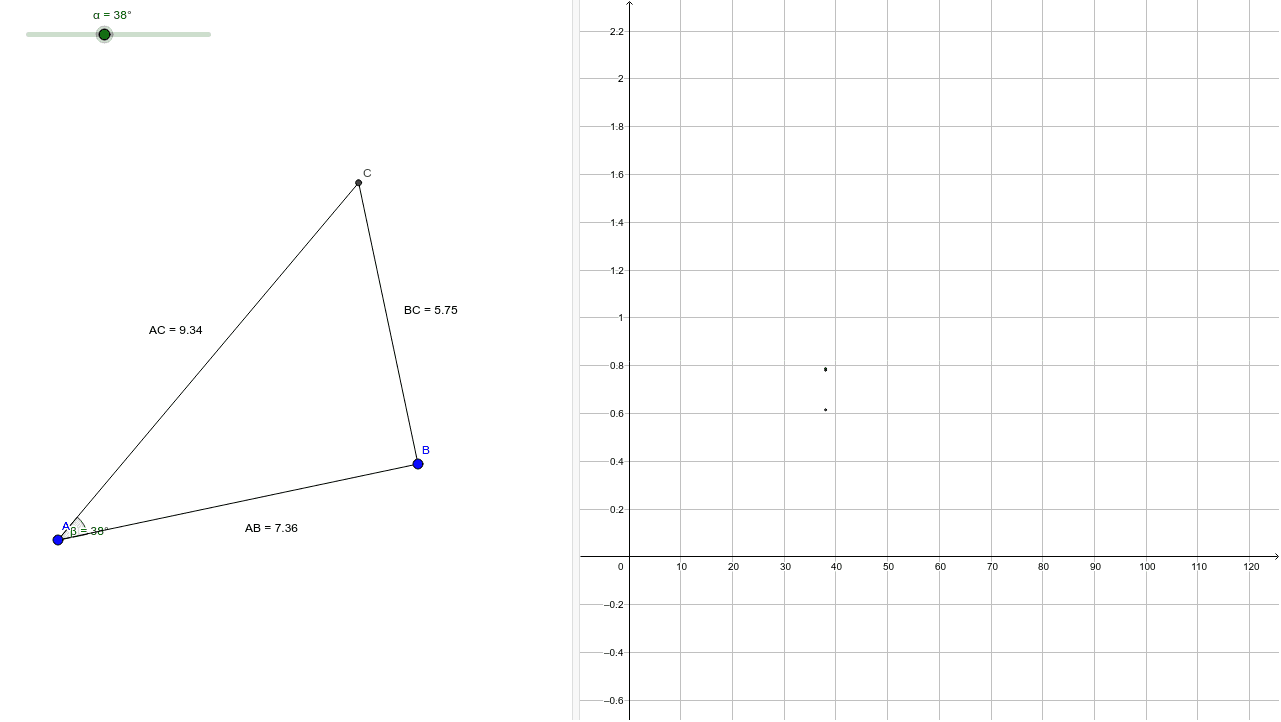
① This example demonstrates how the sine, cosine, and tangent ratios change continuously as the acute angle of a right triangle varies. ② Core mathematical concepts include right triangles, acute angles, definitions of the three primary trigonometric functions (opposite/hypotenuse, adjacent/hypotenuse, opposite/adjacent), and an intuitive view of their functional behavior. ③ Construction highlights: Segment creates the three sides; OrthogonalLine builds a perpendicular; Rotate and Ray produce a rotatable angle; Angle marks the angle measure; Intersect finds intersection points; Distance computes side lengths; Midpoint marks midpoints; Text objects display real‑time side lengths and ratio values. ④ Suitable for middle‑school geometry and high‑school trigonometry introduction, and serves as a dynamic visual aid for classroom instruction or student self‑study.
GeoGebra Commands & Parameters
Segment(A, B) → aOrthogonalLine(B, a) → bRotate(B, α, A) → B'Angle(B, A, B') → βRay(A, B') → cIntersect(b, c) → CSegment(A, C) → dSegment(C, B) → eDistance(A, B) → ABDistance(A, C) → ACDistance(B, C) → BCDistance(A, B) → distanceABMidpoint(A, B) →Distance(B, C) → distanceBCMidpoint(B, C) →Distance(A, C) → distanceACMidpoint(A, C) →
AI Drawing Prompt Reference
Draw a right triangle to demonstrate how sine, cosine, and tangent ratios change continuously as the acute angle varies. Construct the triangle's three sides and draw a perpendicular line from one side's endpoint. Create a ray and rotate it around the right angle vertex to form a variable acute angle. Label the angle measure and calculate the lengths of the triangle's sides. Display the real-time side lengths and ratio values on each side, showing the ratios of opposite/hypotenuse and adjacent/hypotenuse.
The prompt above was compiled from the original drawing commands and is for reference only.