
Sine and Cosine Components by Rezar Naco
Loading the math board and drawing, please wait…
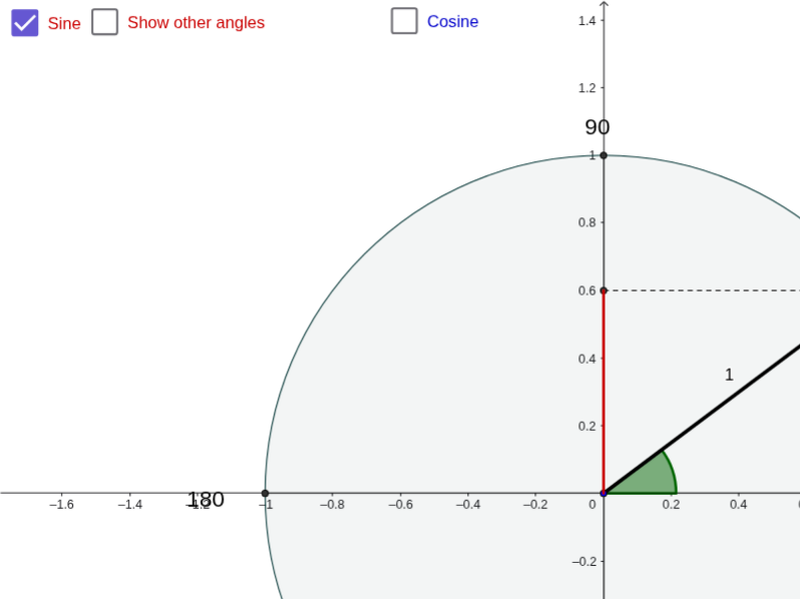
This example illustrates how sine and cosine values match as components within a circle, focusing on trigonometric functions, angles, and geometric constructions. It uses GeoGebra commands like Circle, Point, Angle, Segment, Ray, and Intersect to demonstrate the relationship between angles and their sine/cosine values. Ideal for high school mathematics education to enhance understanding of trigonometric concepts geometrically.
GeoGebra Commands & Parameters
Circle(A, 1) → cPoint(c) → BAngle(C, A, B) → αSegment(A, B) → aSegment(A, D) → bSegment(A, E) → dSegment(H, C) → eSegment(F, G) → fSegment(B, E) → gSegment(B, D) → hRay(A, B) → iPoint(i) → ISegment(A, N) → jSegment(A, M) → kAngle(C, A, N) → βAngle(C, A, M) → γIntersect(c, k, 1) → JSegment(D, J) → nIntersect(c, j, 1) → KSegment(E, K) → pRay(A, K) → rPoint(r) → LRay(A, M) → sPoint(s) → P
AI Drawing Prompt Reference
Draw a circle and mark a point on it. Connect the point to the center to form a segment. From the center, draw a ray passing through the point. On the circle, mark two more points and connect each to the center with segments. From the center, draw rays through these points. Measure the angles between the rays and the original segment, then mark points on the rays corresponding to these angles. Connect these points to the center to visualize sine and cosine values geometrically.
The prompt above was compiled from the original drawing commands and is for reference only.