
Simple Tessellation
Loading the math board and drawing, please wait…
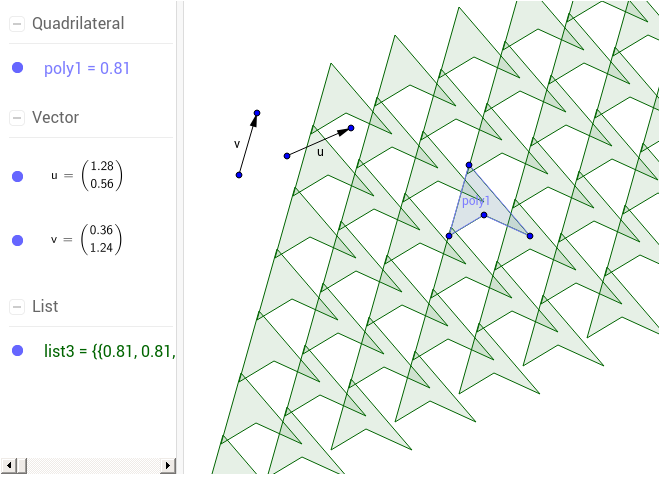
This example demonstrates how to create simple tessellations using polygon constructions. It involves core mathematical concepts like polygon creation, vector operations, sequence application, and geometric transformations. Key GeoGebra commands used include Polygon, Vector, and Sequence. Suitable for high school mathematics teaching or geometric construction learning, helping to understand the principles and techniques of plane tessellations.
GeoGebra Commands & Parameters
Polygon(A, B, C, D) → poly1, a, b, c, dVector(E, F) → uVector(G, H) → vSequence(Sequence[Polygon[Translate[A, Vector[(m * u) + (n * v)]], Translate[B, Vector[(m * u) + (n * v)]], Translate[C, Vector[(m * u) + (n * v)]], Translate[D, Vector[(m * u) + (n * v)]]], m, -3, 3], n, -3, 3) → list3
AI Drawing Prompt Reference
Draw a simple hexagon pattern by generating multiple translated copies of the original hexagon using vectors and sequences, forming a hexagonal tessellation. First, create a hexagon, then define two vectors, and finally use these vectors to generate a series of hexagons by translating the original hexagon to different vector positions, forming a hexagonal grid.
The prompt above was compiled from the original drawing commands and is for reference only.