
Silva Coping Line Segments and Angles
Loading the math board and drawing, please wait…
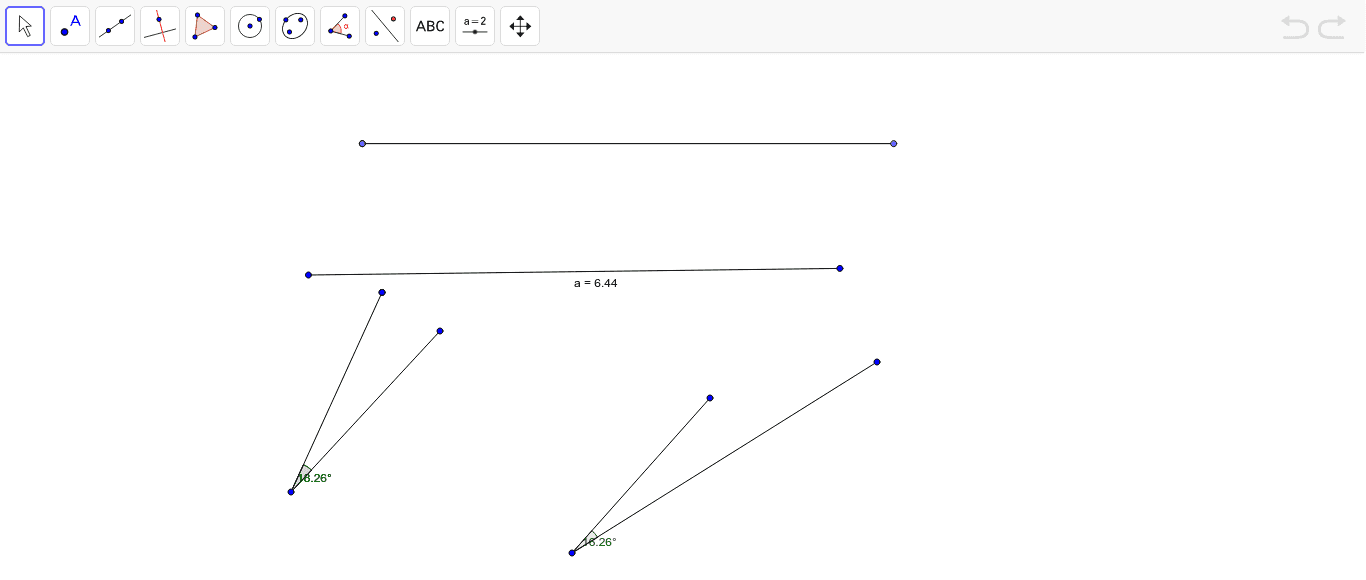
This GeoGebra example demonstrates a geometric construction involving line segments, angles, and rotations, creating a network of interrelated points, segments, and angles that highlight properties such as orthocenters and tangents. The core mathematical concepts include line segments, angles, rotation transformations, orthocenter, quadrilaterals, linear functions, and tangent lines. The construction uses GeoGebra commands such as Segment, Point, Angle, and Rotate, with objects including points A through L, segments a through g, angles α, β, γ, and rotated images K' and K'_1. This example is suitable for high school and college students to explore geometric transformations, orthocenter properties, and multi-object dynamic constructions, and can serve as a teaching resource for demonstrating step-by-step geometric drawing.
GeoGebra Commands & Parameters
Segment(A, B) → aPoint(Circle[C, 6.44]) → DSegment(C, D) → bPoint(Circle[E, 6.44]) → FSegment(E, F) → cPoint(c) → GSegment(H, I) → dSegment(I, J) → eAngle(J, I, H) → αSegment(K, L) → fRotate(K, 18.26*°, L) → K'Angle(K, L, K') → βSegment(L, K') → gRotate(K, 18.26*°, L) → K'_1Angle(K, L, K'_1) → γ
AI Drawing Prompt Reference
Create a geometric construction featuring multiple line segments, angles, and rotation transformations. Begin with a horizontal line segment AB. Above it, define two circles centered at C and E with radius 6.44, then pick points D and F on these circles respectively and draw line segments CD and EF. Select a point G on EF, then draw two intersecting line segments HI and IJ forming angle α at their intersection I. Next, draw an inclined line segment KL, then rotate point K around L by 18.26 degrees to obtain point K', draw segment LK', and create angle β between K, L, and K'. Rotate K again by the same angle to produce another image point, forming angle γ. The entire figure demonstrates progressive angle and rotation relationships.
The prompt above was compiled from the original drawing commands and is for reference only.