
Shearing a Triangle and a Parallelogram
Loading the math board and drawing, please wait…
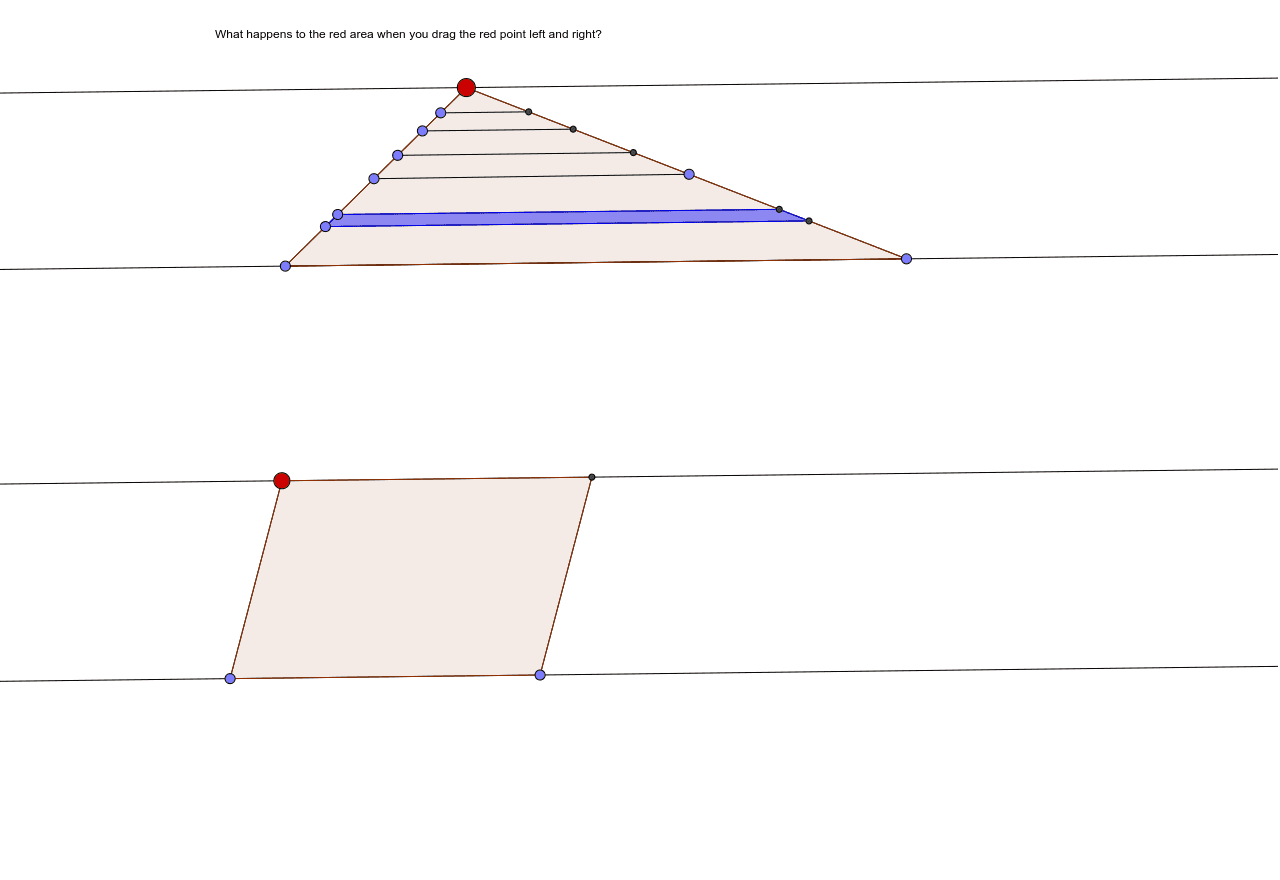
This example demonstrates the shearing transformation applied to a triangle and a parallelogram, showing how the shapes change while preserving their areas. Students can explore the effects of shear using dynamic geometry, observing how vertices, sides, and angles move under the transformation. Key concepts include linear transformations, vector representation, area invariance, and shape congruence. The GeoGebra construction uses commands such as Line, Segment, Intersect, Point, and Polygon to create an interactive model. It is suitable for high‑school geometry, transformation geometry, and dynamic mathematics courses.
GeoGebra Commands & Parameters
Line(A, B) → aSegment(A, C) → bLine(C, a) → cLine(B, b) → dIntersect(c, d) → DSegment(D, B) → ePoint(a) → EPoint(a) → FSegment(E, F) → fPoint(c) → GSegment(F, G) → gSegment(G, E) → hPoint(h) → HPoint(h) → IPoint(h) → JPoint(h) → KPoint(h) → LPoint(h) → MLine(H, f) → iLine(I, i) → jLine(J, j) → kLine(J, k) → lLine(K, h) → mLine(K, k) → nLine(L, n) → pLine(M, h) → qLine(M, p) → rIntersect(i, g) → NSegment(H, N) → sIntersect(j, g) → OSegment(I, O) → tPoint(g) → PSegment(P, J) → a_1Intersect(n, g) → QSegment(Q, K) → b_1Intersect(p, g) → RSegment(R, L) → c_1Intersect(r, g) → SSegment(S, M) → d_1Line(T, a) → e_1Line(U, a) → f_1Point(e_1) → VPoint(f_1) → WSegment(V, W) → g_1Point(f_1) → ZLine(Z, g_1) → h_1Line(Z, g_1) → i_1Intersect(e_1, i_1) → A_1Segment(A_1, Z) → j_1Polygon(V, W, Z, A_1) → poly1, v, w, z_1, a_2Polygon(G, E, F) → poly2, f_2, g_2, e_2Polygon(I, H, N, O) → poly3, i_2, h_2, n_1, o