
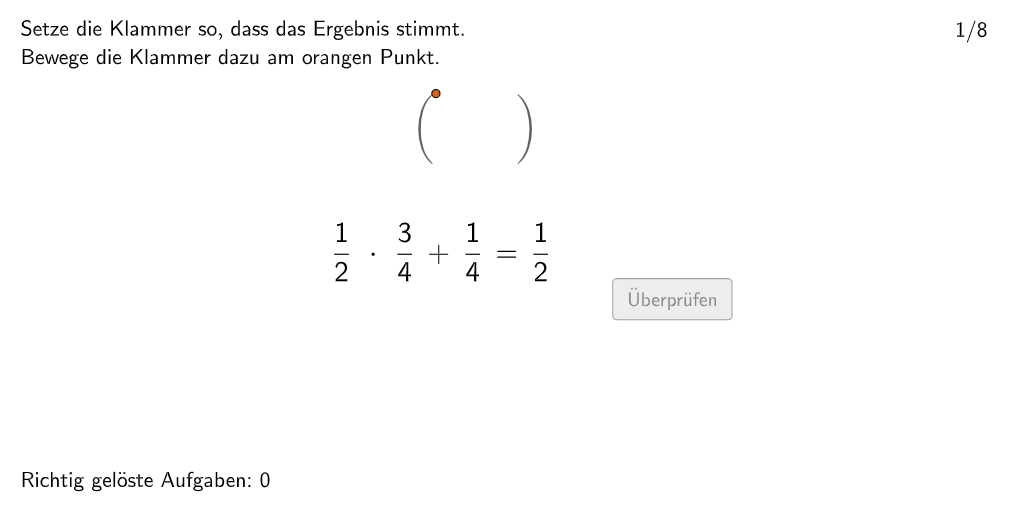
Setting Parentheses
Loading the math board and drawing, please wait…
In collections
Bruchzahlen - Verbindung der Grundrechnungsarten
This example demonstrates how to set parentheses and apply the order of operations. Key mathematical concepts include parentheses and operation precedence. Using GeoGebra commands such as Join, Sequence, and Element, relevant mathematical expressions can be constructed. Suitable for 5-6th grade students.
GeoGebra Commands & Parameters
Join({{1}, Shuffle[2…8]}) → ReihenfolgeRemoveUndefined({PosEx + (0.17, 0), PosEx + (1.625, 0), If[counter > 8, PosEx + (2.925, 0)]}) → PL01Sequence(Random[1, 10], i, 1, 10) → randomNumbers, {9, 1, 1, 7, 2, 6, 10, 8, 9, 10}Element(randomNumbers, Mod[questionCount, Length[randomNumbers]] + 1) → randomNumber
AI Drawing Prompt Reference
In a coordinate system, draw a sequence of numbers from 1 to 8 with their positions shuffled. Then, mark three points on the x-axis at positions (0.17, 0), (1.625, 0), and (2.925, 0), and connect them with line segments. Generate a list of 10 random integers and select a specific number from it. Finally, highlight the position of the selected number in the coordinate system.
The prompt above was compiled from the original drawing commands and is for reference only.