
Sets & Numbers: Exploring Number Theory and Algebra through Geometric Shapes
Loading the math board and drawing, please wait…
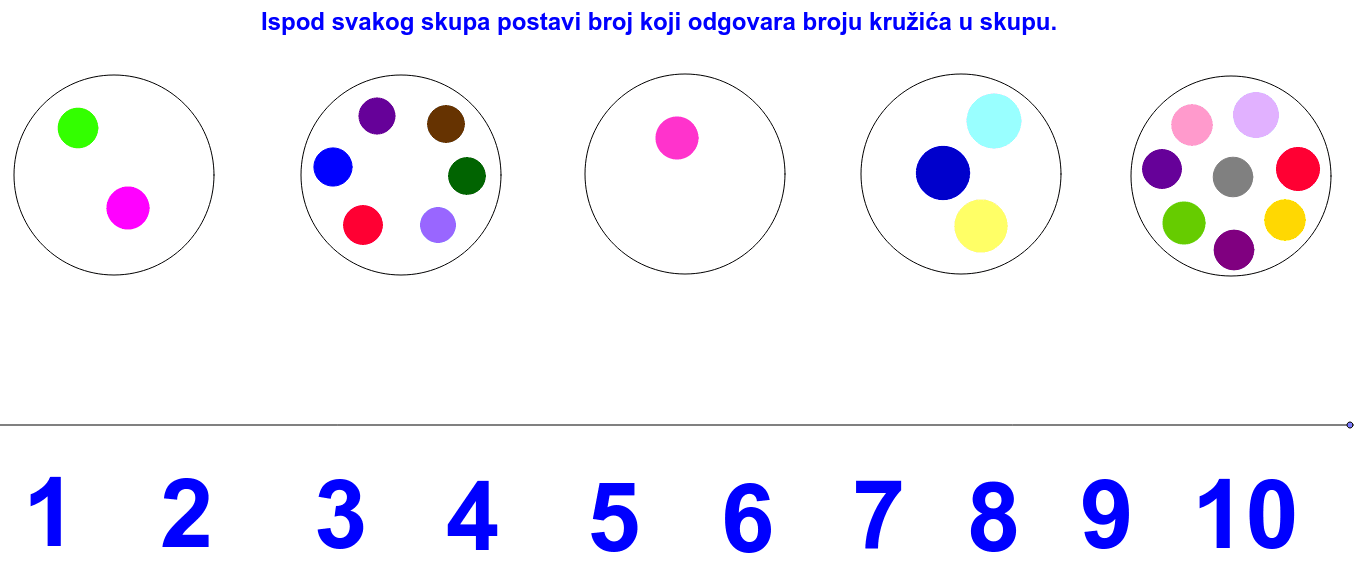
① This GeoGebra example constructs a dynamic diagram using circles, points, and segments to visually demonstrate the relationship between sets and numbers, suitable for introductory mathematics education. ② Core mathematical concepts include set theory, natural numbers, algebraic expressions, equilateral triangles, random variables, and least common multiple (LCM) and greatest common divisor (GCD), bridging abstract number theory with intuitive geometric visualization. ③ Construction details: The example employs GeoGebra commands such as Circle, Point, and Segment, creating numerous named objects (e.g., A, B, c, C, D, etc.) to form equilateral triangles and other plane figures, possibly using text objects (tekst1) to display numbers or set information. ④ Target audience: Upper elementary to lower middle school students, useful for fostering interest in mathematics, teaching sets and number theory basics, and serving as a teacher demonstration tool to help students understand the intersection of numerical relationships and geometric construction.
GeoGebra Commands & Parameters
Circle(A, B) → cCircle(C, D) → dCircle(E, F) → eCircle(G, H) → fCircle(I, J) → gCircle(K, L) → hCircle(M, N) → kCircle(Q, R) → qCircle(S, T) → rCircle(U, V) → sCircle(W, Z) → tCircle(A_1, B_1) → c_1Circle(C_1, D_1) → d_1Circle(E_1, F_1) → e_1Circle(G_1, H_1) → pPoint(Circle[I_1, 3]) → J_1Point(Circle[K_1, 3]) → L_1Point(Circle[M_1, 3]) → N_1Circle(O_1, 2) → f_1Circle(P_1, 2) → g_1Circle(Q_1, 2) → h_1Circle(R_1, 2) → k_1Circle(S_1, 2) → p_1Point(Circle[T_1, 2]) → U_1Segment(T_1, U_1) → aPoint(Circle[W_1, 15]) → Z_1Point(Circle[W_1, 25]) → A_2Point(Circle[W_1, 27]) → B_2Segment(W_1, B_2) → bCircle(E_2, F_2) → r_1Point(r_1) → G_2Circle(H_2, I_2) → q_1Circle(K_2, L_2) → s_1Circle(M_2, N_2) → t_1Circle(Q_2, R_2) → d_2Circle(S_2, T_2) → e_2Circle(U_2, V_2) → f_2Circle(O_2, P_2) → c_2Circle(W_2, Z_2) → g_2Circle(A_3, B_3) → h_2Circle(D_3, E_3) → k_2Circle(F_3, G_3) → p_2Circle(H_3, I_3) → q_2Circle(J_3, K_3) → r_2Circle(L_3, M_3) → s_2Circle(N_3, O_3) → t_2Circle(P_3, Q_3) → c_3Circle(R_3, S_3) → d_3Circle(T_3, U_3) → e_3Circle(V_3, W_3) → f_3
AI Drawing Prompt Reference
Create a geometric diagram with multiple circles, points, and segments illustrating the relationship between sets and numbers. Use circles of various radii as base shapes, place points on some circles, and connect certain points with line segments to form equilateral triangles and other plane figures. Include many circles of different sizes, some with points on them, and some connected by segments, creating a symmetric or repeating pattern. Add text labels showing numbers or set information to support teaching of natural numbers, sets, algebraic expressions, least common multiple, and greatest common divisor.
The prompt above was compiled from the original drawing commands and is for reference only.