
Semicircle Rotation
Loading the math board and drawing, please wait…
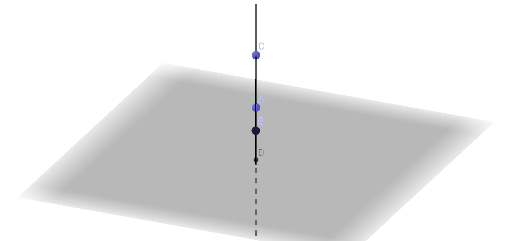
This example demonstrates the rotation of a semicircle around a point to form a three-dimensional geometric solid. It involves core mathematical concepts such as rotation, circle, secant line, and geometric construction. The construction uses GeoGebra commands/objects like Point, Plane, Circle, Intersect, CircumcircleArc, and Line as summarized. Suitable for high school solid geometry teaching or geometric construction practice.
GeoGebra Commands & Parameters
Point(zAxis) → APlane(A, xOyPlane) → aCircle(A, 2, a) → cPoint(c) → BPoint(zAxis) → CIntersect(yAxis, zAxis) → DCircumcircleArc(C, B, D) → dLine(C, D) → f
AI Drawing Prompt Reference
Draw a three-dimensional geometric solid formed by rotating a semicircle around a point, demonstrating rotation, circle, secant line, and geometric construction. Start by placing a point on the rotation axis, then create a semicircle centered at this point. Find the intersection points of the semicircle with the axis, draw an arc using the center point, the intersection point, and another point on the axis, and finally connect the center point to the intersection point with a line to complete the solid.
The prompt above was compiled from the original drawing commands and is for reference only.