
Introduction to Right Triangle Trig
Loading the math board and drawing, please wait…
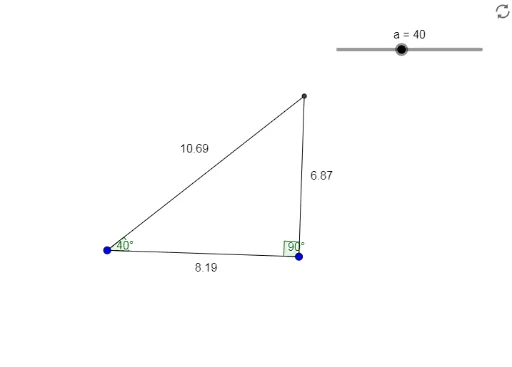
This applet allows students to interactively discover that the ratios of any two sides of similar right triangles (by AA Similarity Theorem) remain constant. It covers key concepts like trigonometric ratios and similar triangles. Using GeoGebra commands such as Segment, OrthogonalLine, Rotate, etc., for geometric construction. Suitable for middle school and above students learning trigonometry.
GeoGebra Commands & Parameters
Segment(A, B) → fOrthogonalLine(B, f) → gRotate(B, 45°, A) → B'Line(A, B') → iOrthogonalLine(B, f) → hRotate(B, a°, A) → B'_1Angle(B, A, B'_1) → αRay(A, B'_1) → kOrthogonalLine(B, f) → jPoint(j) → CRay(B, C) → lIntersect(k, l) → DAngle(D, B, A) → βSegment(D, A) → mSegment(D, B) → n
AI Drawing Prompt Reference
Draw a right triangle ABC with AB as one of the legs and BC as the hypotenuse. Rotate point B 45 degrees to get point B', then draw a perpendicular line to AB' and a parallel line to AB', intersecting at point D such that angle BDA equals angle BAC. Connect AD and BD to observe the similarity between triangles ABD and ABC, and understand the concepts of sine, cosine, and tangent.
The prompt above was compiled from the original drawing commands and is for reference only.