
Self Discovery of the Sine Rule
Loading the math board and drawing, please wait…
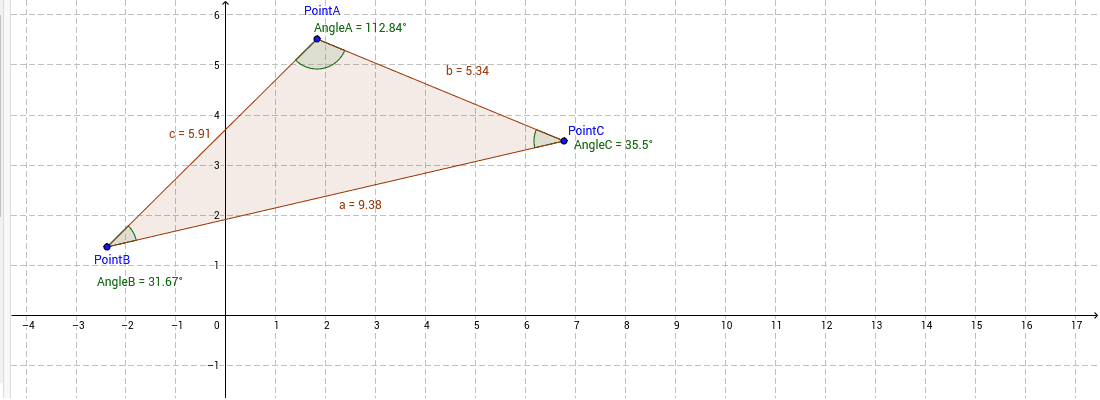
This example uses dynamic geometry to help students intuitively understand the Sine Rule. It involves the sine function relationship in a triangle. By constructing the three vertices of a triangle and using GeoGebra commands Polygon and Angle, students can observe the relationship between the sides and angles of the triangle, thereby discovering the Sine Rule. Suitable for high school mathematics education.
GeoGebra Commands & Parameters
Polygon(PointA, PointB, PointC) → poly1, c, a, bAngle(PointA, PointC, PointB) → AngleCAngle(PointB, PointA, PointC) → AngleAAngle(PointC, PointB, PointA) → AngleB
AI Drawing Prompt Reference
Draw a triangle ABC and explore the Sine Rule by constructing its three sides and three angles. Start by creating three points A, B, and C, then connect them to form the triangle. Measure the three angles of the triangle to observe the relationship between the side lengths and their corresponding angles.
The prompt above was compiled from the original drawing commands and is for reference only.