
Sectors and Fractions
Loading the math board and drawing, please wait…
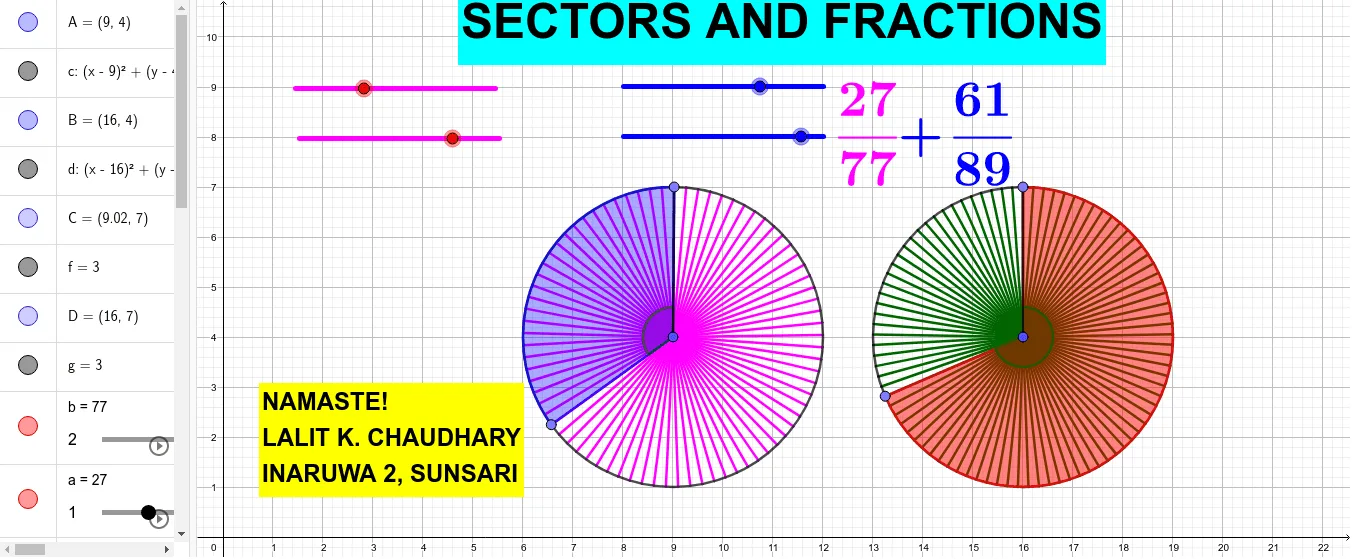
This example demonstrates how to construct sectors using basic elements like circles, points, and segments, and illustrates the relationship between the area of a sector and the area of a circle, providing an intuitive understanding of fractions. The core mathematical concepts involved include circles, similar triangles, parametric curves, and inequalities. The construction utilizes GeoGebra commands and objects such as Circle, Point, Segment, Sequence, Rotate, Angle, CircleSector, and LCM. It is suitable for middle school students and above to learn geometric constructions, fraction operations, and parametric equations, as well as for mathematical teaching demonstrations.
GeoGebra Commands & Parameters
Circle(A, 3) → cCircle(B, 3) → dPoint(c) → CSegment(A, C) → fPoint(d) → DSegment(B, D) → gSequence(Segment[A, Rotate[C, f°, A]], f, (360°) / b, 360, 360 / b) → l1Sequence(Segment[B, Rotate[D, g°, B]], g, (360°) / n, 360, 360 / n) → l2Rotate(C, (360° * a / b), A) → C'Angle(C, A, C') → αRotate(D, (-((360° * m / n))), B) → D'Angle(D', B, D) → βCircleSector(A, C, C') → eCircleSector(B, D', D) → hLCM(b, n) → s
AI Drawing Prompt Reference
Draw two circles of radius 3, with centers placed side by side. On each circle, choose a point and draw a segment from the center to that point. Then, rotate the chosen point around its center by equal angular steps, generating a series of segments from the center to each rotated point, creating radial dividing lines. In the first circle, construct a sector by connecting the center to two points on the circle (one being the rotated point). In the second circle, construct another sector similarly but with opposite rotation direction. Mark the central angles of both sectors. Finally, compute the least common multiple of the numbers of divisions in the two circles to illustrate fractional relationships. The overall figure emphasizes the intuitive connection among circles, sectors, angles, and fractions.
The prompt above was compiled from the original drawing commands and is for reference only.