
Saving GeoGebra Files
Loading the math board and drawing, please wait…
In collections
学习 GeoGebra 经典应用
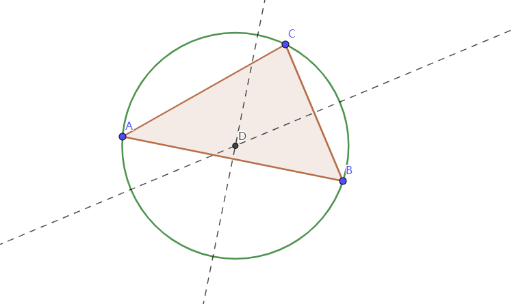
This example demonstrates how to save files in GeoGebra. It involves the concept of circles, ratios, logarithmic functions, kites, and angles. Using GeoGebra commands such as Polygon, Midpoint, OrthogonalLine, Intersect, and Circle, users can create a circle and a kite, and explore their relationships. This example is suitable for middle school or high school students, particularly those studying geometry and algebra.
GeoGebra Commands & Parameters
Polygon(A, B, C) → t1, c, a, bMidpoint(c) → D_1Midpoint(a) → EOrthogonalLine(D_1, c) → fOrthogonalLine(E, a) → gIntersect(f, g) → DCircle(D, B) → d
AI Drawing Prompt Reference
Draw a figure consisting of a circle and a kite. The circle's center is the kite's vertex, and the kite is formed by two symmetric line segments. The circle and kite are connected by intersecting lines, illustrating their geometric relationship.
The prompt above was compiled from the original drawing commands and is for reference only.