
SAS Triangle Congruence Exploration
Loading the math board and drawing, please wait…
In collections
Exploring Triangle Congruence
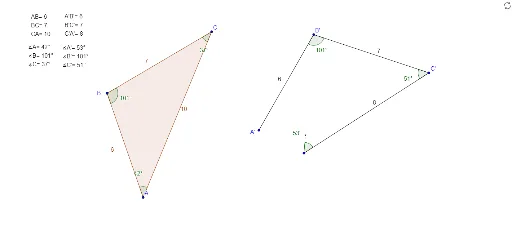
This example demonstrates how to explore triangle congruence using the Side-Angle-Side (SAS) criterion. It involves core math concepts like triangle congruence theorems. Construction uses commands such as Ray, Angle, Circle, Point, Intersect, Polygon, and Segment in GeoGebra. Suitable for middle school and above students to understand and verify geometric theorems, or for mathematical teaching demonstrations.
GeoGebra Commands & Parameters
Ray(B, C) → aRay(B, A) → bAngle(A, B, C) → αCircle(B', Segment[C, B]) → cCircle(B', Segment[A, B]) → dPoint(c) → C'Circle(C', Segment[A, C]) → eIntersect(d, e, 2) → A'Ray(B', C') → fRay(B', A') → gPolygon(B, C, A) → poly1, c_1, a_1, b_1Segment(B', C') → hSegment(B', A') → iSegment(C', C'') → jAngle(B, C, A) → βAngle(C, A, B) → γAngle(A', B', C') → δAngle(B', C', C'') → εSegment(C'', A') → kCircle(C'', 1) → pCircle(A', 1) → qSegment(C'', B') → lIntersect(p, l, 1) → ESegment(C'', E) → rAngle(C', C'', B') → ζ