
SAS Triangle Congruence Exploration by Julian Ornelas
Loading the math board and drawing, please wait…
In collections
D.G. 4.4 & 4.5: Triangle Congruence Shortcuts
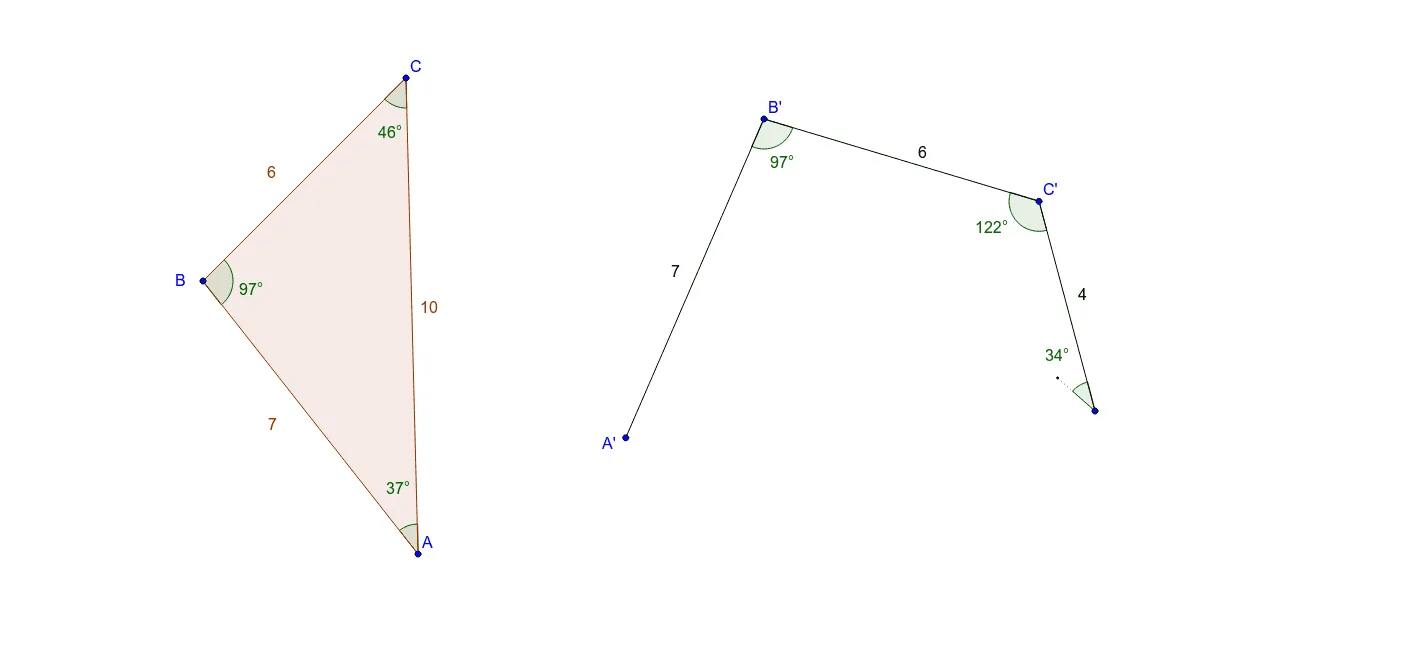
This applet helps students explore triangle congruence using the Side-Angle-Side (SAS) criterion. It demonstrates constructing triangles given two sides and the included angle, and dynamically adjusting these elements to observe changes. Commands used include Ray, Angle, Circle, Point, Intersect, Polygon, and Segment. Suitable for middle school and above students learning about triangle congruence.
GeoGebra Commands & Parameters
Ray(B, C) → aRay(B, A) → bAngle(A, B, C) → αCircle(B', Segment[C, B]) → cCircle(B', Segment[A, B]) → dPoint(c) → C'Circle(C', Segment[A, C]) → eIntersect(d, e, 2) → A'Ray(B', C') → fRay(B', A') → gPolygon(B, C, A) → poly1, c_1, a_1, b_1Segment(B', C') → hSegment(B', A') → iSegment(C', C'') → jAngle(B, C, A) → βAngle(C, A, B) → γAngle(A', B', C') → δAngle(B', C', C'') → εSegment(C'', A') → kCircle(C'', 1) → pCircle(A', 1) → qSegment(C'', B') → lIntersect(p, l, 1) → ESegment(C'', E) → rAngle(C', C'', B') → ζ
AI Drawing Prompt Reference
Draw a triangle ABC with given lengths of AB and AC and the included angle ∠BAC. First, draw rays BA and BC, then construct ∠BAC. Next, draw circles with center B and radii AB and AC, and find their intersection point A'. Connect BA' and BC', and draw triangle ABC.
The prompt above was compiled from the original drawing commands and is for reference only.