
Same Correspondence Rules, Different Stories by STEP - המראה (3)
Loading the math board and drawing, please wait…
In collections
LINEAR FUNCTIONS
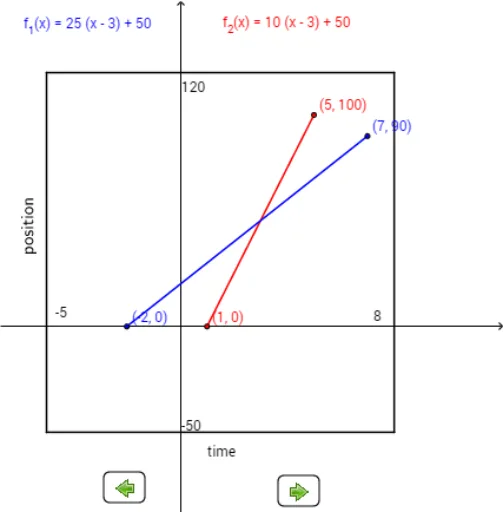
This example demonstrates that even with the same correspondence rules, different geometric figures can produce different results. Key mathematical concepts include functions, transformations, and geometric construction. Using commands like Polygon, Textfield, and RotateText, users can dynamically explore the intersections and areas of different function graphs. Suitable for high school mathematics education and learning.
GeoGebra Commands & Parameters
Polygon((-5, 120), (8, 120), (8, -50), (-5, -50)) → poly1, f, g, h, iTextfield(f_3) → InputBox1Textfield(f_4) → InputBox2LaTeX(f_1, true, true) → text5RotateText("position", 90°) → text9
AI Drawing Prompt Reference
Draw a pentagon with vertices at (-5, 120), (8, 120), (8, -50), (-5, -50), and (0, 0). Use input boxes to input function expressions and dynamically display the function graphs. Rotate the text 'position' 90 degrees to show the transformation effect of the function graphs.
The prompt above was compiled from the original drawing commands and is for reference only.