
RR Cylinder Geometry and Function Demo
Loading the math board and drawing, please wait…
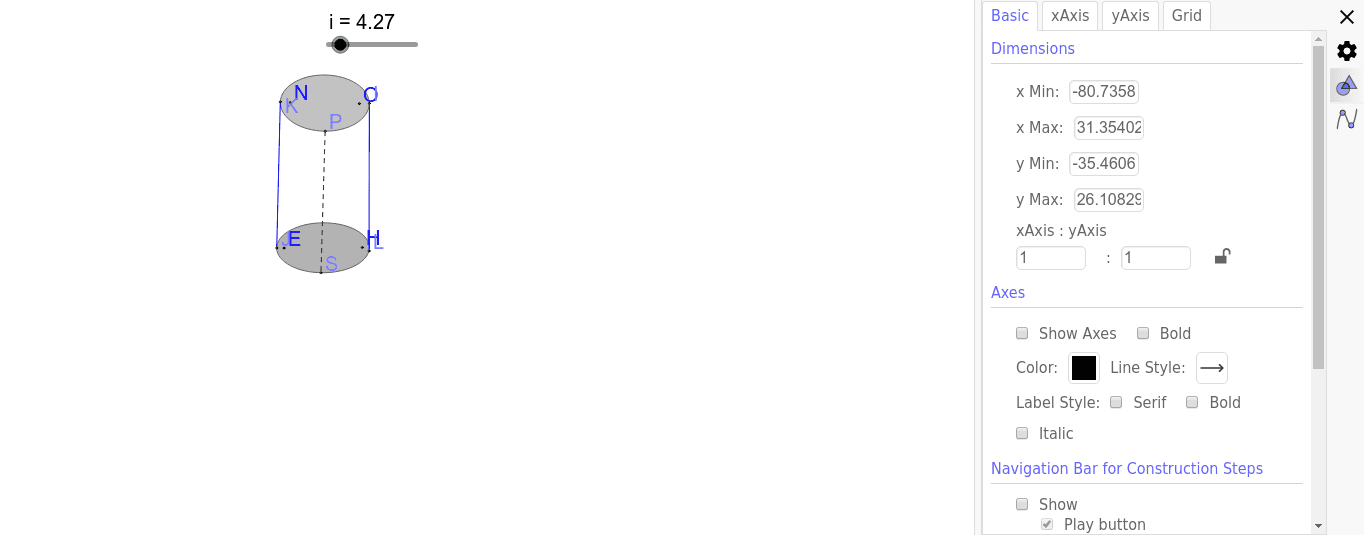
① This example demonstrates an RR cylinder model, showing its cross‑sections, generating lines, and related geometric relationships. ② Core concepts include solid geometry (cylinder), right triangles, polynomial functions, percentages, secant line geometry, and expected value from probability and statistics. ③ Construction uses the Ellipse, Point, and Segment commands, creating objects i, H, E, M, W, B_1, d, J, N, O, k, I, K, L, f, g, S, P, j, and text1 to build the cylinder, sections, secants, and annotations. ④ Suitable for high‑school solid geometry and function integration lessons, as well as college‑level calculus preparation or mathematical modeling demonstrations.
GeoGebra Commands & Parameters
Ellipse(E, H, (5 / 4 * i)) → dPoint(d) → JEllipse(N, O, (6 / 5 * i)) → kPoint(k) → IPoint(k) → KPoint(d) → LSegment(K, J) → fSegment(I, L) → gPoint(d) → SPoint(k) → PSegment(P, S) → j
AI Drawing Prompt Reference
Draw a cylinder model with its cross-sections and generating lines. Start by drawing an ellipse as the base, then mark point J on the ellipse. Next, draw another ellipse as the top, and mark points I and K on it. Draw line segments f from K to J, g from I to L, and j from P to S to form the cylinder's side and cross-sections.
The prompt above was compiled from the original drawing commands and is for reference only.