
Rotations
Loading the math board and drawing, please wait…
In collections
Homothety, Rotation Symmetry -RO
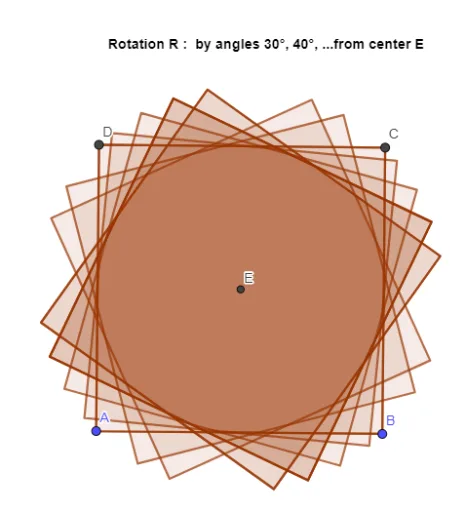
This example demonstrates how to perform rotations using GeoGebra. Key mathematical concepts include rotation, function graphs, and geometric construction. Using commands like Polygon, Midpoint, and Rotate, the example creates rotated shapes. Suitable for high school mathematics education and learning.
GeoGebra Commands & Parameters
Polygon(A, B, 4) → poly1, f, g, h, i, C, DMidpoint(D, B) → ERotate(poly1, (-(15°)), E) → poly1'Rotate(poly1', 30°, E) → poly1''Rotate(poly1'', (-(40°)), E) → poly1'''Rotate(poly1''', 50°, E) → q1Rotate(q1, 60°, E) → q1'Rotate(q1', 70°, E) → q1''Rotate(q1'', 80°, E) → q1'''Rotate(q1''', 90°, E) → q2Rotate(q2, 100°, E) → q2'
AI Drawing Prompt Reference
Draw a square and then rotate it around its midpoint by -15°, 30°, -40°, 50°, 60°, 70°, 80°, 90°, and 100° respectively to generate a series of rotated squares.
The prompt above was compiled from the original drawing commands and is for reference only.