
Rotations on a Coordinate Plane
Loading the math board and drawing, please wait…
In collections
translation along a vector
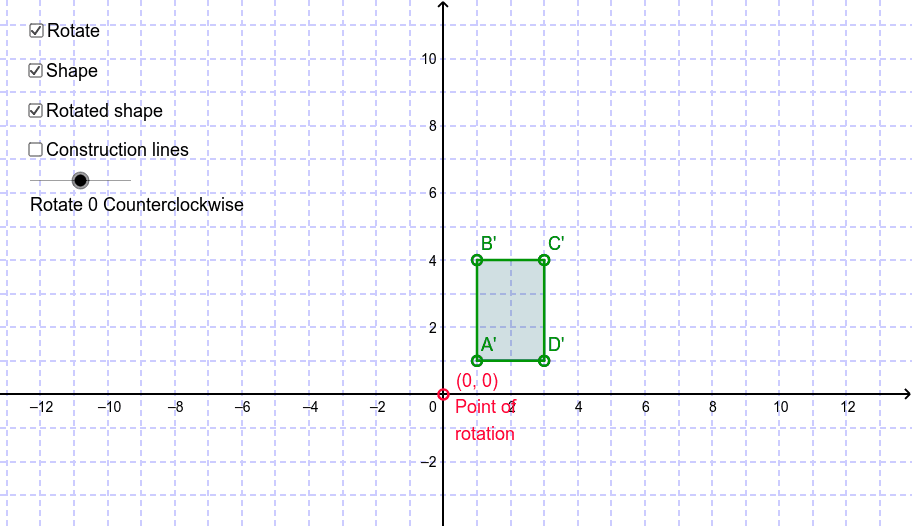
This example demonstrates rotations on a coordinate plane. Key mathematical concepts include rotation, cosine, and sine. Using GeoGebra commands such as Polygon, Rotate, and Segment, the construction of rotated figures is illustrated. Suitable for students at the junior high school level and above, focusing on geometric transformations.
GeoGebra Commands & Parameters
Polygon(A, B, C, D) → poly1, a_1, b_1, c, dRotate(B, ((-Angle) * 3.141592653589793 / 180), E) → B'Rotate(C, ((-Angle) * 3.141592653589793 / 180), E) → C'Rotate(D, ((-Angle) * 3.141592653589793 / 180), E) → D'Segment(E, A_p) → aSegment(A_p, A) → gRotate(A_p, ((-Angle) * 3.141592653589793 / 180), E) → FRotate(A_p, ((-Angle) * 3.141592653589793 / 180), E) → GRotate(A, ((-Angle) * 3.141592653589793 / 180), E) → A'Segment(G, A') → g'Polygon(A', B', C', D') → poly2, a'_1, b', c', d'Rotate(E, ((-Angle) * 3.141592653589793 / 180), E) → E'Rotate(A_p, ((-Angle) * 3.141592653589793 / 180), E) → HSegment(E', H) → a'
AI Drawing Prompt Reference
Draw a quadrilateral on a coordinate plane and demonstrate its rotation around a point. Start by drawing the original quadrilateral, then mark the rotation center. Rotate each vertex of the quadrilateral around the center by the same angle to form a new quadrilateral. Also, draw line segments connecting the rotation center to each corresponding vertex, showing the relationship between the rotation angle and trigonometric functions. Finally, connect the rotated vertices to complete the new quadrilateral, illustrating the rotation effect.
The prompt above was compiled from the original drawing commands and is for reference only.