
Rotation Transformation Demo by Dan Dale
Loading the math board and drawing, please wait…
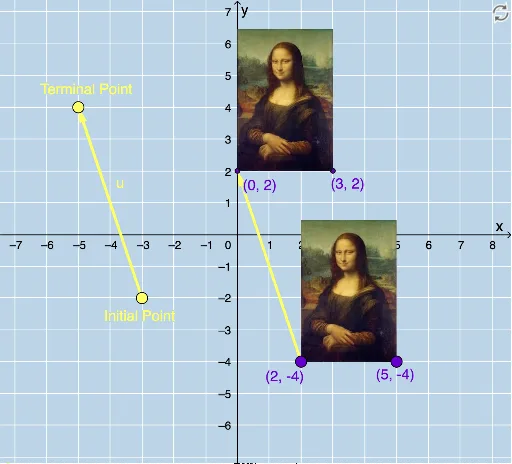
This example demonstrates rotational transformations in a 2D plane by rotating a triangle to show the relationship between the original and transformed figures. Core mathematical concepts include rotation transformation, vector, coordinate geometry, and geometric construction. Construction highlights: Utilizes GeoGebra commands/objects like Vector, Translate, Rotate, CircleArc, Circle, Line, Mirror, Dilate, and Textfield. Suitable for high school mathematics teaching on geometric transformations, helping students understand the properties and methods of rotation transformations.
GeoGebra Commands & Parameters
Vector(D, E) → uTranslate(pic1, u) → pic1'Translate(B, u) → B'Translate(C, u) → C'Vector(B, B') → vRotate(C, δ, A) → C'_1CircleArc(A, C'_1, C) → cCircleArc(A, C, C'_1) → dCircle(A, C) → eLine(F, G) → fMirror(pic1, f) → pic1'_2Mirror(B, f) → B'_2Mirror(C, f) → C'_2Dilate(pic1, k, A) → pic1'_3Dilate(B, k, A) → B'_3Dilate(C, k, A) → C'_3Rotate(B, δ, A) → B'_1Rotate(pic1, δ, A) → pic1'_1Circle(A, C) → pCircleArc(A, C'_1, C) → rTextfield(δ) → InputBox1Textfield(k) → InputBox2
AI Drawing Prompt Reference
Draw a 2D diagram demonstrating rotation transformation. Start with a triangle and rotate it around one of its vertices by a certain angle, showing the rotated triangle and marking the rotation path with an arc. Then create a vector and translate the original triangle along it to show the translated triangle. Next, draw a line and reflect the original triangle across it to show the mirrored triangle. Finally, dilate the original triangle from the rotation center by a scale factor to show the scaled triangle. Keep all transformed triangles visible with distinct colors or line styles.
The prompt above was compiled from the original drawing commands and is for reference only.