
Rotation Transformation and Geometric Demonstration
Loading the math board and drawing, please wait…
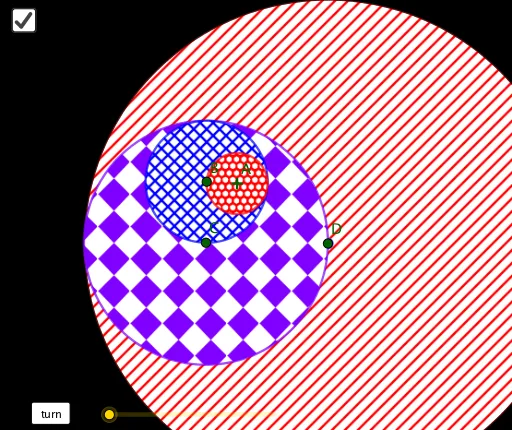
This example dynamically demonstrates rotation transformations, showcasing spatial relationships and projection effects of squares, equilateral triangles, and cubes. Core math concepts include rotation, cosine function, sequences, properties of equilateral triangles, and solid geometry. Construction highlights the use of GeoGebra commands like Circle, Radius, Rotate, and Point to build points, lines, surfaces, and 3D shapes. Suitable for high school students and math enthusiasts studying spatial geometry, transformations, and function applications.
GeoGebra Commands & Parameters
Circle(A, B) → cRadius(c) → rRotate(B, a, A) → B'Circle(B', (2 * r)) → dPoint(d) → CRotate(C, a / 2, B') → C'Circle(C', (4 * r)) → ePoint(e) → DRotate(D, a / 4, C') → D'Circle(D', (8 * r)) → f
AI Drawing Prompt Reference
Create a dynamic rotation transformation demonstration with a square, an equilateral triangle, and a cube. Start by drawing a circle, then rotate one point around another to generate a series of rotated points, forming concentric circles. Showcase rotation, cosine function, properties of equilateral triangles, and solid geometry relationships.
The prompt above was compiled from the original drawing commands and is for reference only.