
Rotation Patterns Practice: IM 8.1.8
Loading the math board and drawing, please wait…
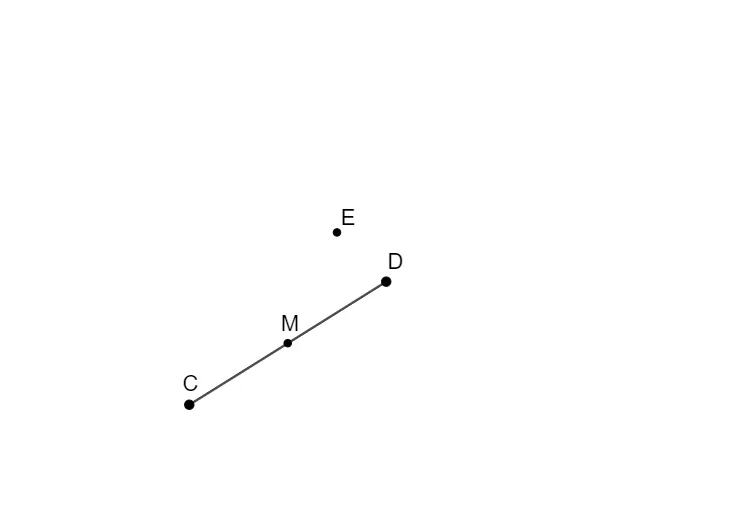
This GeoGebra example demonstrates rotation patterns in a practice exercise, showing how a figure changes position and orientation when rotated around a point. The core mathematical concepts include rotation transformation, center of rotation, angle of rotation, and congruence of figures. Construction details: the example uses the Segment and Midpoint commands to build the base figure, with objects f, C, D, M, and E defining the pre-image and image relationships, where M likely serves as the rotation center and E as the rotated point. It is suitable for 8th-grade students learning rotation geometry, and can be used by teachers for classroom demonstrations or by students for independent exploration of rotation rules, reinforcing that rotation preserves size and shape.
GeoGebra Commands & Parameters
Segment((0, 0), (8, 5)) → fMidpoint(C, D) → M
AI Drawing Prompt Reference
Describe a rotation pattern diagram. The diagram includes a line segment f from the origin (0,0) to the point (8,5). Then, draw two points C and D, and find M as their midpoint. M serves as the rotation center, and E is the rotated point. After rotation, the position of E changes, but the size and shape of the figure remain the same. The construction order: first draw the line segment f, then draw points C and D, find M as the rotation center, and finally determine E as the rotated point.
The prompt above was compiled from the original drawing commands and is for reference only.