
Rotation of a Point in 90° Steps about the Origin
Loading the math board and drawing, please wait…
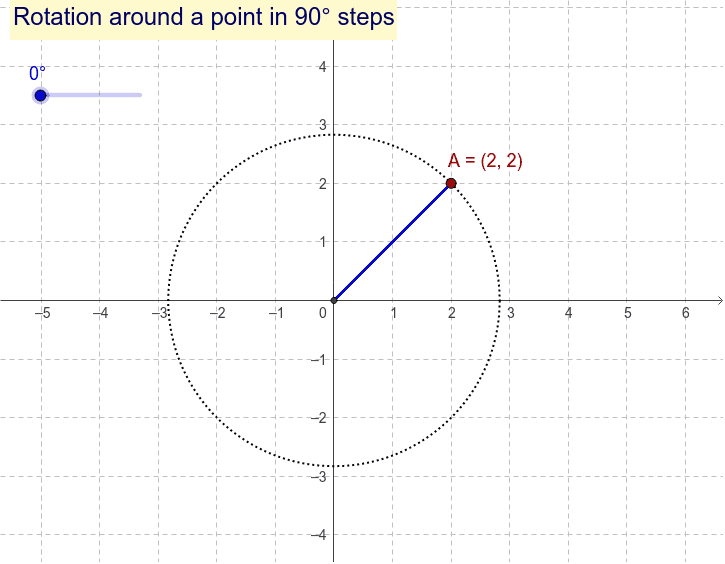
This GeoGebra example demonstrates the stepwise rotation of a point about the origin on the coordinate plane, with each step being 90 degrees. It visually shows how a point moves through four quadrants, highlighting the periodic nature of rotation and the relationship between coordinates before and after each quarter-turn. The core mathematical concept is geometric transformation, specifically rotation, involving angles, the center of rotation (origin), and coordinate changes. The construction uses GeoGebra commands such as Circle to draw a reference circle, Segment to connect points, Rotate to perform the rotation, and Angle to mark the rotation angle. Key objects include point A, origin O, segments f and g, angle β, rotated point A', angle a, triangle T1, and text1. This example is suitable for middle school and high school students learning about rotations in coordinate geometry, and it serves as an effective visual aid for teachers explaining transformation properties or for students exploring rotational symmetry independently.
GeoGebra Commands & Parameters
Circle(O, A) → fSegment(A, O) → gRotate(A, β, O) → A'Segment(O, A') → aAngle(A, O, A') → α
AI Drawing Prompt Reference
On a coordinate plane, draw a reference circle centered at the origin passing through an initial point. Connect this point to the origin with a segment. Then rotate the point around the origin by a fixed angle of 90 degrees to obtain a new point, and connect this new point to the origin with another segment. Mark the rotation angle between the two segments using an arc or angle symbol. The figure illustrates the point's stepwise rotation through four quadrants, highlighting the periodic coordinate changes.
The prompt above was compiled from the original drawing commands and is for reference only.