
Rotating Polygons 2
Loading the math board and drawing, please wait…
In collections
Rotations
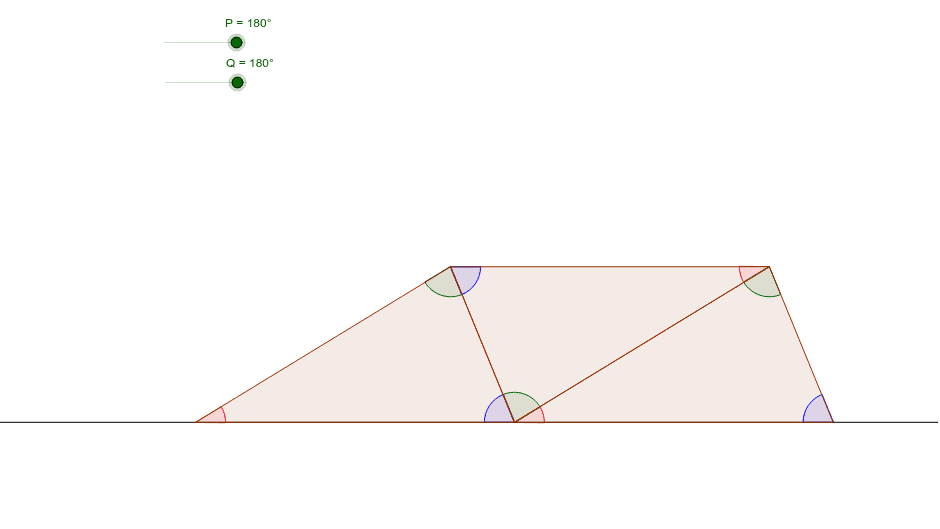
This example demonstrates the dynamic process and geometric transformation of rotating polygons around a point. Core math concepts include polygons, rotation, angles, midpoints, straight line equations, and similar triangles. Construction highlights from the summary involve commands like Line, Polygon, Angle, Midpoint, and Rotate in GeoGebra. Suitable for high school mathematics teaching, ideal for understanding geometric transformations and dynamic geometry demonstrations.
GeoGebra Commands & Parameters
Line(A, B) → aPolygon(A, B, C) → poly1, c, a_1, bAngle(poly1) → α, β, γMidpoint(a_1) → DRotate(A, -P, D) → A'Rotate(B, -P, D) → B'Rotate(C, -P, D) → C'Polygon(A', B', C') → poly1', c', a', b'Angle(poly1') → δ, ε, ζMidpoint(b') → ERotate(A', -Q, E) → A''Rotate(B', -Q, E) → B''Rotate(C', -Q, E) → C''Polygon(A'', B'', C'') → poly1'', c'', a'', b''Angle(poly1'') → η, θ, ι
AI Drawing Prompt Reference
Draw a dynamic rotating polygon to demonstrate its geometric transformation around a point. Start by creating a polygon, then find the midpoint of one of its sides and rotate the polygon around this point to form a new one. Rotate the new polygon again around the midpoint of one of its sides to create a third polygon. Highlight the angles of rotation at each step and label key points and edges to clearly show the geometric transformation process.
The prompt above was compiled from the original drawing commands and is for reference only.