
Rotating Green
Loading the math board and drawing, please wait…
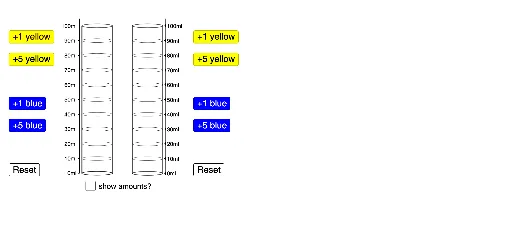
This example demonstrates the rotation of green shapes. It involves linear equations, ratios, median value, arithmetic, distributions, expected value, and equilateral triangles. Using GeoGebra commands such as Ellipse, Point, If, Segment, Vector, Translate, Polygon, and Sequence, a series of rotating green shapes can be constructed. Suitable for students at the junior high school level and above, focusing on geometric transformations and probability statistics.
GeoGebra Commands & Parameters
Ellipse((1, 0), (2.5, 0), 1.5) → ePoint(e) → FIf(yellow + blue ≟ 0, 1, If[ratio ≤ 1, 0, (0.79 * ratio2^(2)) - (1.72 * ratio2) + 0.99]) → aIf(yellow + blue ≟ 0, 1, If[ratio ≥ 1, 1, (-0.85 * ratio^(2)) + (1.78 * ratio)]) → bIf(yellow + blue ≟ 0, 1, If[ratio ≥ 1, 0, (0.79 * ratio^(2)) - (1.72 * ratio) + 0.99]) → cPoint(e) → ESegment(F, (x(F), ht)) → fVector(F, G) → uTranslate(e, u) → e'Polygon(G, F, E, H) → poly2, g, f_1, e_1, hSegment(I, F) → iSegment(E, J) → jVector(F, I) → vEllipse((1, ht), (2.5, ht), 1.5) → pEllipse((1, 0), (2.5, 0), 1.5) → qSegment(H, E) → lEllipse((1, top), (2.5, top), 1.5) → kSegment(C, A) → mSegment(B, D) → nVector(A, C) → wVector(A, K) → rTranslate(B, r) → B'Polygon(K, A, B, B') → poly1, k_1, a_1, b_1, b'If(yellow2 + blue2 ≟ 0, 1, If[ratiox ≤ 1, 0, (0.79 * (1 / ratiox)^(2)) - (1.72 * 1 / ratiox) + 0.99]) → a2If(yellow2 + blue2 ≟ 0, 1, If[ratiox ≥ 1, 1, (-0.85 * ratiox^(2)) + (1.78 * ratiox)]) → b2If(yellow2 + blue2 ≟ 0, 1, If[ratiox ≥ 1, 0, (0.79 * ratiox^(2)) - (1.72 * ratiox) + 0.99]) → c2Vector(F, A) → dTranslate(q, d) → q'Translate(q, d) → q'_1Translate(q'_1, r) → sTranslate(q'_1, r) → tSegment(B', B) → g_1Segment(K, A) → h_1Sequence(Ellipse[(1, k), (2.5, k), 1.5], k, 10, 90, 10) → list1Translate(list1, d) → list1'Ray((8.5, 0), (8.5, 1)) → i_1Sequence((8.5, n), n, 0, 100, 10) → list2Point(i_1) → LSequence(Text[m + "ml", (8.65, m - 1.5)], m, 0, 100, 10) → list3Polygon(M, N, O, P) → poly3, m_1, n_1, o, p_1