
Rotating Cube - JavaScript
Loading the math board and drawing, please wait…
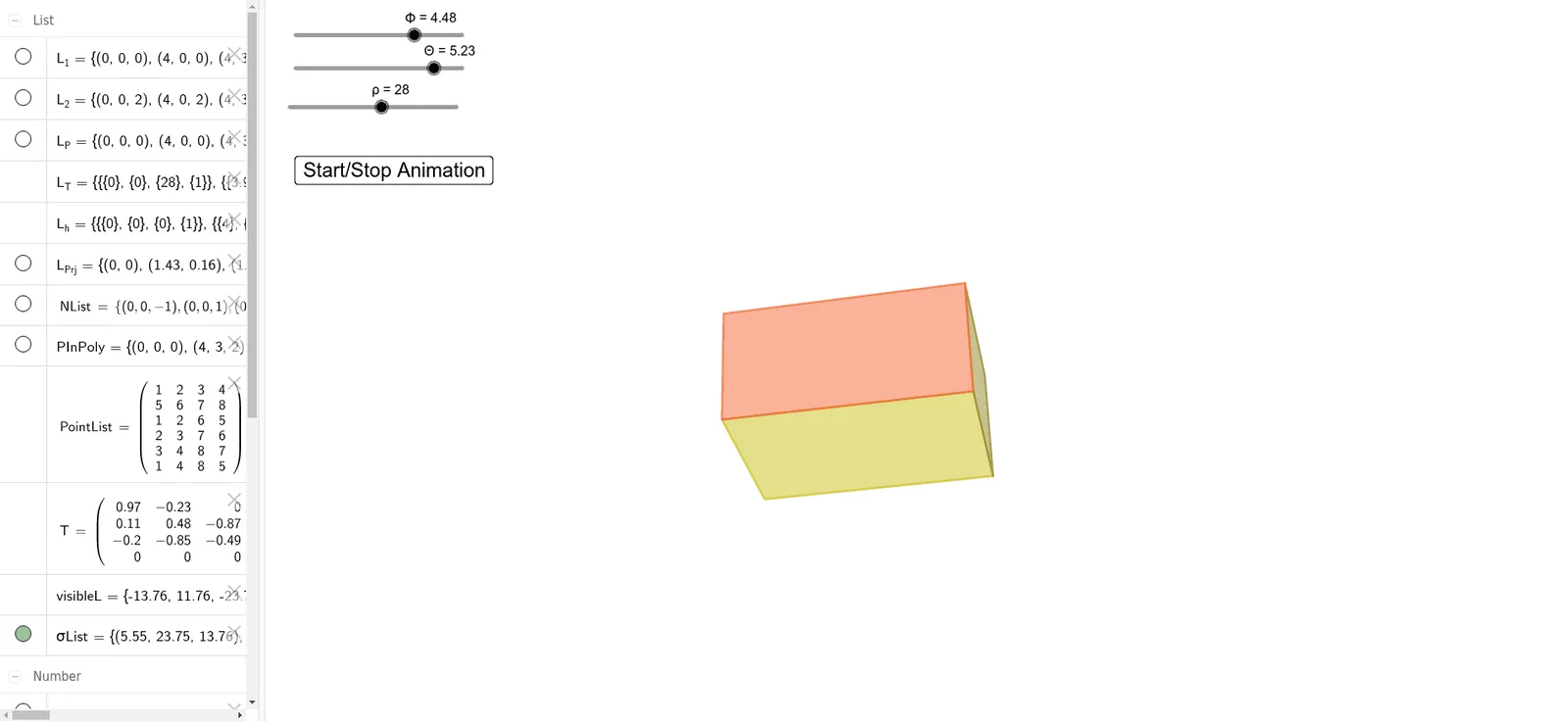
This example demonstrates a rotating cube. Key mathematical concepts include matrix transformations and rotation. Using GeoGebra commands like Sequence, Join, and Polygon, the faces of the cube are constructed and its rotation is animated. Suitable for high school and above students learning solid geometry and transformations.
GeoGebra Commands & Parameters
Sequence(Element[L_1, i] + (0, 0, h), i, 1, 4) → L_2Join({L_1, L_2}) → L_PSequence(hom[Element[L_P, i]], i, 1, 8) → L_hSequence((T * Element[L_h, i]), i, 1, 8) → L_TSequence(((D * Element[L_T, i, 1, 1] / Element[L_T, i, 3, 1]), (D * Element[L_T, i, 2, 1] / Element[L_T, i, 3, 1])), i, 1, 8) → L_{Prj}Sequence(A - Element[PInPoly, i], i, 1, 6) → σListSequence((Element[NList, i] * Element[σList, i]), i, 1, 6) → visibleLJoin({Q_{10}, {Element[L_{Prj}, 1]}}) → Q_{11}Join({Q_{11}, {Element[L_{Prj}, 2]}}) → Q_{12}Join({Q_{12}, {Element[L_{Prj}, 3]}}) → Q_{13}Join({Q_{13}, {Element[L_{Prj}, 4]}}) → Q_{14}Polygon(Q_{14}) → P_1Join({Q_{20}, {Element[L_{Prj}, 5]}}) → Q_{21}Join({Q_{21}, {Element[L_{Prj}, 6]}}) → Q_{22}Join({Q_{22}, {Element[L_{Prj}, 7]}}) → Q_{23}Join({Q_{23}, {Element[L_{Prj}, 8]}}) → Q_{24}Polygon(Q_{24}) → P_2Join({Q_{30}, {Element[L_{Prj}, 1]}}) → Q_{31}Join({Q_{31}, {Element[L_{Prj}, 2]}}) → Q_{32}Join({Q_{32}, {Element[L_{Prj}, 6]}}) → Q_{33}Join({Q_{33}, {Element[L_{Prj}, 5]}}) → Q_{34}Polygon(Q_{34}) → P_3Join({Q_{40}, {Element[L_{Prj}, 2]}}) → Q_{41}Join({Q_{41}, {Element[L_{Prj}, 3]}}) → Q_{42}Join({Q_{42}, {Element[L_{Prj}, 7]}}) → Q_{43}Join({Q_{43}, {Element[L_{Prj}, 6]}}) → Q_{44}Polygon(Q_{44}) → P_4Join({Q_{50}, {Element[L_{Prj}, 3]}}) → Q_{51}Join({Q_{51}, {Element[L_{Prj}, 4]}}) → Q_{52}Join({Q_{52}, {Element[L_{Prj}, 8]}}) → Q_{53}Join({Q_{53}, {Element[L_{Prj}, 7]}}) → Q_{54}Polygon(Q_{54}) → P_5Join({Q_{60}, {Element[L_{Prj}, 1]}}) → Q_{61}Join({Q_{61}, {Element[L_{Prj}, 4]}}) → Q_{62}Join({Q_{62}, {Element[L_{Prj}, 8]}}) → Q_{63}Join({Q_{63}, {Element[L_{Prj}, 5]}}) → Q_{64}Polygon(Q_{64}) → P_6
AI Drawing Prompt Reference
Draw a rotating cube with six faces. First, create four points to represent the cube's vertices. Then, use matrix transformations to generate the rotated vertex coordinates. Next, draw six rectangular faces using these coordinates. Finally, connect these faces to form a rotating cube.
The prompt above was compiled from the original drawing commands and is for reference only.