
Roots of Quadratic Function
Loading the math board and drawing, please wait…
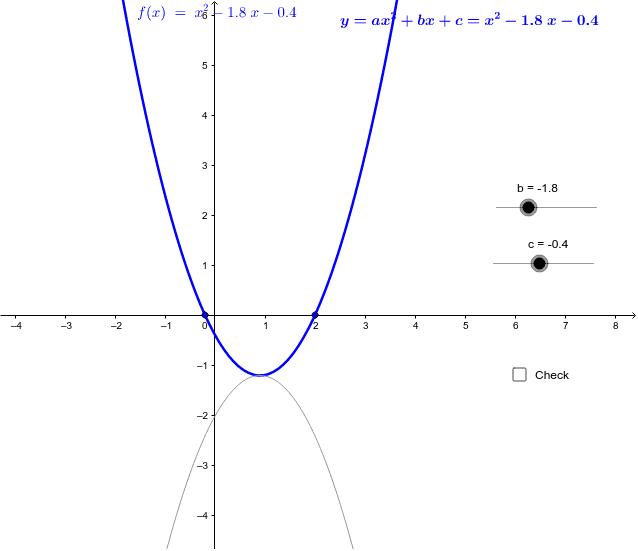
This example demonstrates how to graph a quadratic function and its roots using GeoGebra. Key math concepts include quadratic functions, roots (zeros), parabolas, and real numbers. Construction highlights the use of GeoGebra commands like Intersect and Circle, along with objects such as b, c, f, A, B, d, e, y_2, y_1, C, D, g, E, F, h, text1, text3, text4, text2, a. Suitable for high school mathematics education to understand the properties of quadratic functions and the geometric meaning of their roots.
GeoGebra Commands & Parameters
Intersect(f, xAxis) → A, BIntersect(g, xAxis) → E, FCircle(C, F, E) → h
AI Drawing Prompt Reference
Graph a quadratic function and mark its intersections with the x-axis, which are the roots of the function. Then draw a circle using these two intersection points as centers to illustrate their relationship. The process involves first identifying the function's roots, then using these points to draw the circle, and finally presenting the geometric relationship between the function graph and the circle.
The prompt above was compiled from the original drawing commands and is for reference only.