
Rolling a Regular Polygon: Vertex Trajectories and Animation
Loading the math board and drawing, please wait…
In collections
GCSE Higher Ch8 Transformations & Constructions
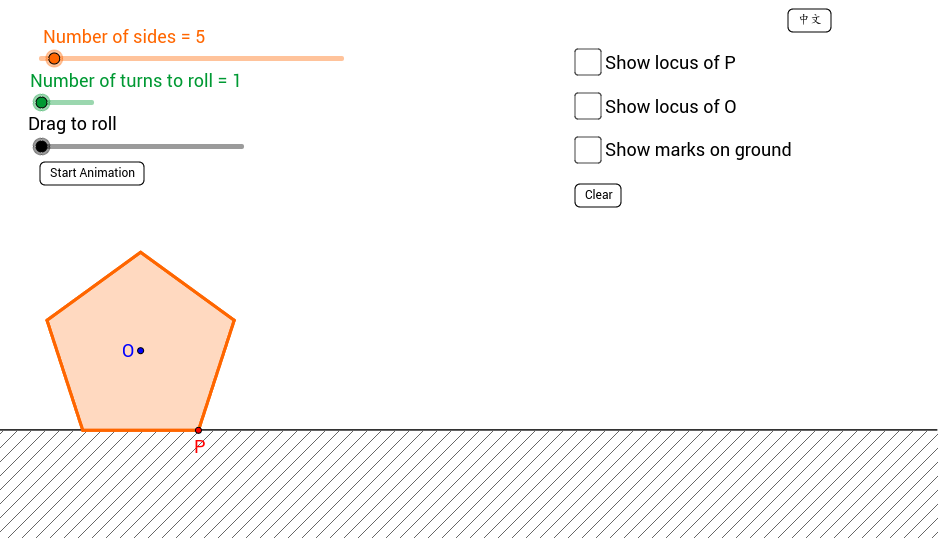
① This example demonstrates a regular polygon (e.g., equilateral triangle, square) rolling without slipping along a horizontal line, showing the path traced by its vertices and animating the entire rolling process. ② Core mathematical concepts include rigid-body rotation, composition of translation and rotation, geometric properties of regular polygons, periodicity of vertex trajectories, and generation of cycloid-like curves. ③ Construction highlights: using GeoGebra commands such as Rotate to rotate the polygon about a vertex, Polygon to create the regular polygon, LineBisector and Intersect to determine rotation centers and contact points, Sequence to generate vertex lists, sliders to control the number of sides n, side length, and number of turns, buttons to trigger animation, and lists to store trajectory points. ④ Suitable for upper secondary to early university students, this is ideal for understanding rotational symmetry, parametric curves, and dynamic geometry, and can serve as material for mathematical experiments or inquiry-based learning.
GeoGebra Commands & Parameters
Rotate(A, ((360 * ° / n) * (1 - flip)), B) → A'Polygon(B, A', n) → poly1, b, c, a, d, e, C, D, ERotate(A', (((n - 2) * 90) * ° / n), B) → A''LineBisector(b) → l_1Line(B, A'') → l_2Intersect(l_1, l_2) → ORotate(B, ((-2 * π / n) * (count - 1)), O) → PSequence(((i * length), 0), i, 0, (turns * n)) → list1
AI Drawing Prompt Reference
Draw a regular polygon rolling without slipping along a horizontal line, showing the vertex trajectories and animating the entire rolling process. Use sliders to control the number of sides, side length, and number of turns, determining rotation centers and contact points through rotation and intersection, generating vertex trajectories, and demonstrating periodicity, geometric properties, and rotational transformations of the polygon.
The prompt above was compiled from the original drawing commands and is for reference only.