
Right Triangle Trig Intro and Exploration
Loading the math board and drawing, please wait…
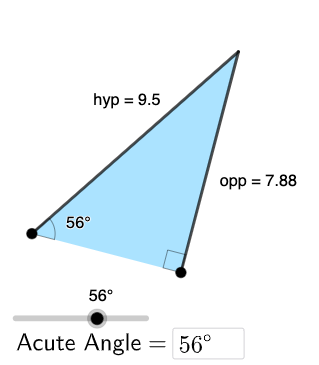
This example introduces trigonometric functions in right triangles, focusing on sine, cosine, and tangent. Key mathematical concepts include trigonometric ratios, geometric proportions, and properties of right triangles. Construction involves GeoGebra commands such as Segment, OrthogonalLine, Rotate, and others to create the triangle and related figures. Suitable for middle or high school mathematics education to understand the application of trigonometry in geometry.
GeoGebra Commands & Parameters
Segment(A, B) → adjOrthogonalLine(B, adj) → gTextfield(α) → InputBox1Rotate(B, α, A) → B'Angle(B, A, B') → βRay(A, B') → hIntersect(g, h) → CPolygon(A, B, C) → t1, c, a, bSegment(B, C) → oppSegment(C, A) → hypAngle(C, B, A) → γ
AI Drawing Prompt Reference
Draw a right triangle with one acute angle labeled. From the vertex of this angle, draw a perpendicular line to the hypotenuse, forming another triangle with the foot of the perpendicular and the hypotenuse's endpoint. Label the three angles and three sides, specifically identifying the opposite side, adjacent side, and hypotenuse, and display the angle measures to illustrate the definitions and relationships of sine, cosine, and tangent.
The prompt above was compiled from the original drawing commands and is for reference only.