
Right Pyramid Construction in 3D
Loading the math board and drawing, please wait…
In collections
Surface Area Geogebra
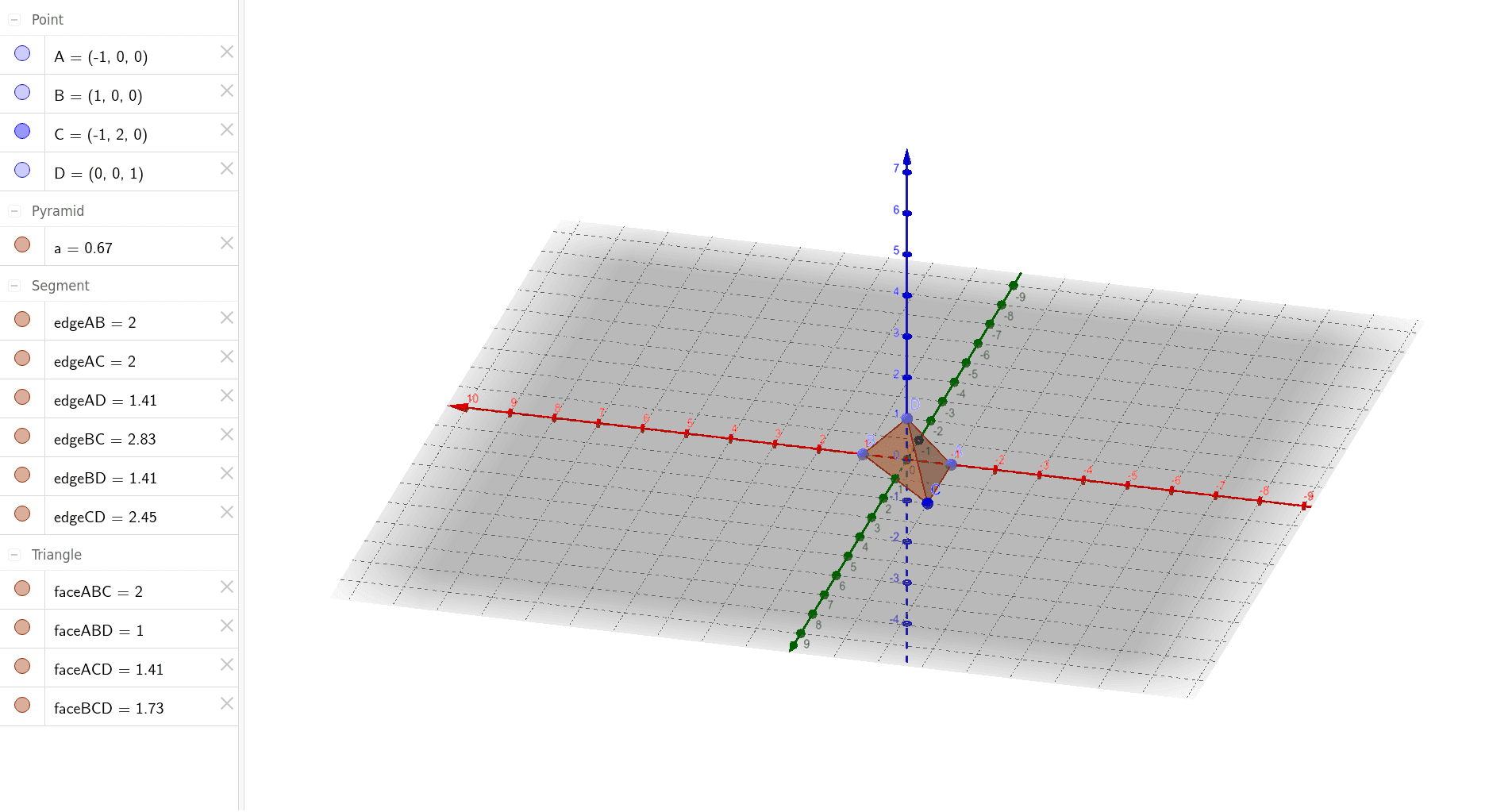
① This example demonstrates a right pyramid, a 3D solid with a square base and an apex directly above the center, showing its spatial structure. ② Core math concepts include solid geometry: definition of a pyramid, base and lateral faces, perpendicular projection of the apex, and basic elements like vertices, edges, and faces. ③ Construction: using GeoGebra's Point command to create base vertices A, B, C, D and the apex, then the Pyramid command to generate the solid, automatically producing lateral faces (faceABC, faceABD, faceBCD, faceACD) and edges (edgeAB, edgeBC, edgeAC, edgeAD, edgeBD, edgeCD), illustrating a step-by-step build from points to lines to faces. ④ Suitable for middle/high school solid geometry lessons or beginners exploring 3D shapes, and useful for discussing volume, surface area, and spatial reasoning.
GeoGebra Commands & Parameters
Point(xAxis) → APoint(xAxis) → BPoint(zAxis) → DPyramid(A, B, C, D) → a, faceABC, edgeCD, faceABD, faceBCD, faceACD, edgeAB, edgeBC, edgeAC, edgeAD, edgeBD
AI Drawing Prompt Reference
Draw a right square pyramid with a square base and a vertex directly above the center of the base. First, create four base points A and B on the x-axis, then create point D on the z-axis. Finally, use these four points to construct the pyramid, which will automatically generate four faces and six edges.
The prompt above was compiled from the original drawing commands and is for reference only.