
Right Pyramid: 3D Construction and Dynamic Exploration
Loading the math board and drawing, please wait…
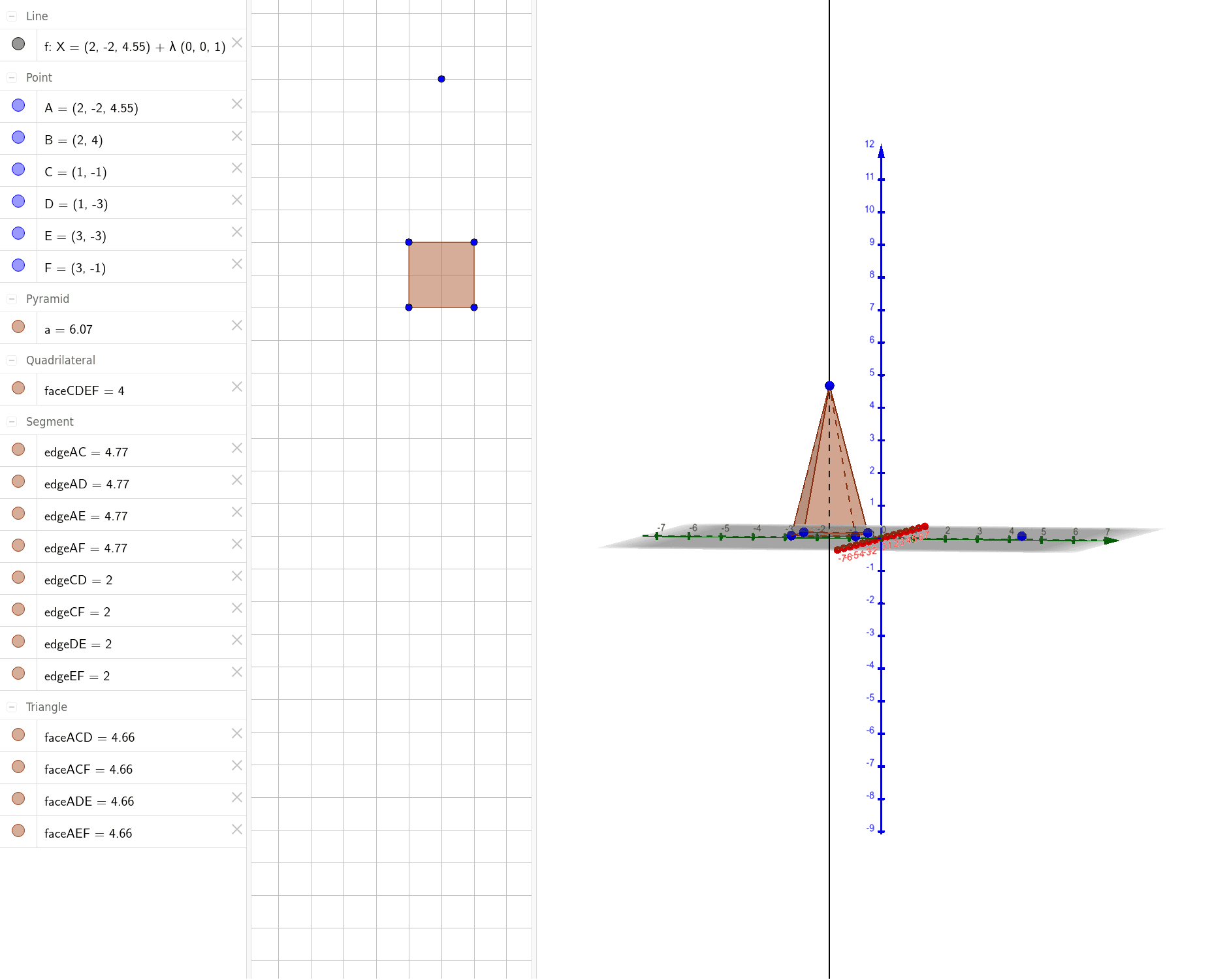
①This example demonstrates a right pyramid in 3D space, showing its apex, base, and lateral triangular faces interactively.②Core mathematical concepts include the definition of a pyramid, properties of a right pyramid (apex directly above the center of a regular polygonal base), perpendicular height, and formulas for surface area and volume.③Construction details: The OrthogonalLine command is used to create the perpendicular from the apex to the base, ensuring the pyramid is right; the Pyramid command generates the solid, automatically creating faces (base CDEF, lateral faces ACD, ACF, AEF, ADE) and edges (edgeCD, edgeCF, edgeEF, edgeDE, edgeAD, edgeAC, edgeAF, edgeAE) for further manipulation.④Suitable for middle and high school solid geometry lessons, helping students visualize spatial relationships, explore properties of right pyramids, and understand 3D construction in dynamic geometry software.
GeoGebra Commands & Parameters
OrthogonalLine(A, xOyPlane) → fPyramid(D, C, F, E, A) → a, faceCDEF, edgeAD, edgeAC, edgeAF, edgeAE, faceACD, faceACF, faceAEF, faceADE, edgeCD, edgeCF, edgeEF, edgeDE