
Right and Oblique Pyramids Comparison by Becnel_VIII
Loading the math board and drawing, please wait…
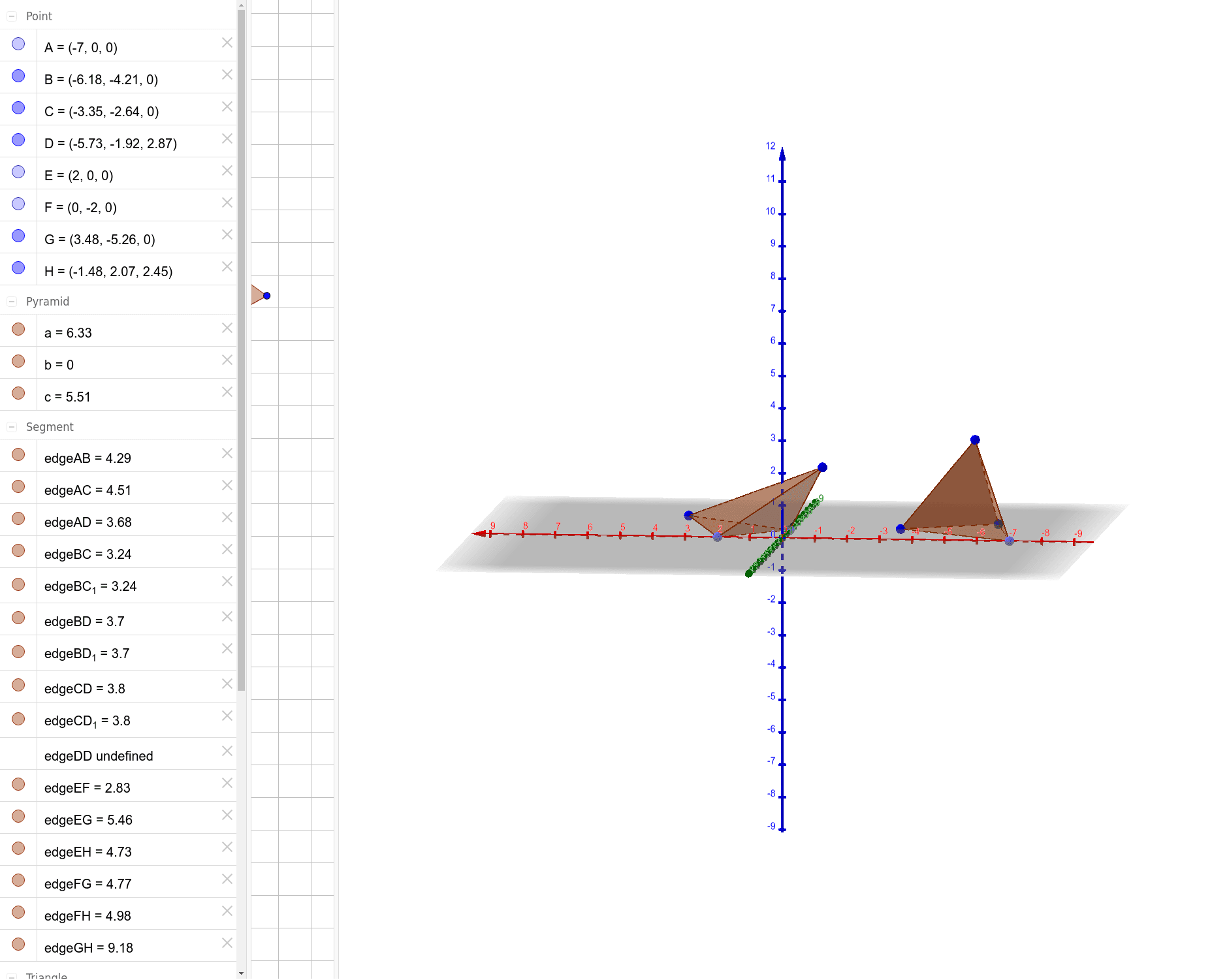
① This GeoGebra example displays both a right pyramid (apex directly above the center of the base) and an oblique pyramid (apex offset from the center) in 3D, allowing direct visual comparison of their geometric properties. ② Core mathematical concepts include the definition of a pyramid, differences between right and oblique pyramids, relationships between base and lateral faces, the effect of apex projection on shape, and the composition of points, lines, and faces in 3D space. ③ Construction highlights: using the Point command to create base vertices A, B, C, D and apex vertices E, F, G, H, then the Pyramid command to build two pyramids, generating lateral faces (e.g., faceABC, faceEFG) and edges (e.g., edgeAB, edgeEF), with auxiliary points (b, c) controlling apex positions for contrast. ④ Suitable for middle school solid geometry or introductory college geometry, helping students understand pyramid classification and spatial reasoning, and can serve as a dynamic demonstration of how moving the apex alters the pyramid's shape.
GeoGebra Commands & Parameters
Point(xAxis) → APyramid(A, B, C, D) → a, faceABC, edgeCD_1, faceABD, faceBCD_1, faceACD, edgeAB, edgeBC_1, edgeAC, edgeAD, edgeBD_1Pyramid(D, C, B, D) → b, face1, edgeBD, faceCDD, faceBCD, faceBDD, edgeCD, edgeBC, edgeBD, edgeDD, edgeCDPoint(xAxis) → EPoint(yAxis) → FPyramid(E, F, G, H) → c, faceEFG, edgeGH, faceEFH, faceFGH, faceEGH, edgeEF, edgeFG, edgeEG, edgeEH, edgeFH