
Rhombus Construction by NateM.
Loading the math board and drawing, please wait…
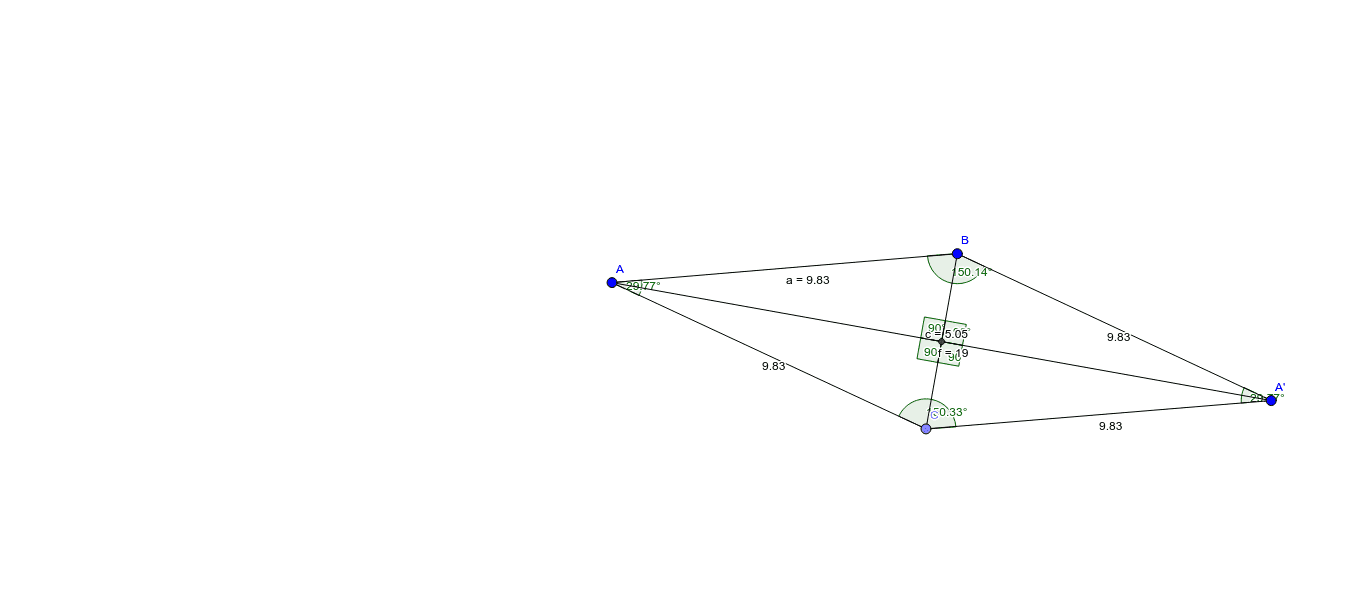
This example demonstrates how to construct a rhombus using points, line segments, and angles. Key mathematical concepts include line segments, angles, reflection, linear regression, and differential equations. Construction highlights involve commands like Segment, Point, Mirror, Angle, and Intersect from GeoGebra. Suitable for high school mathematics teaching or geometric construction learning.
GeoGebra Commands & Parameters
Segment(A, B) → aPoint(Circle[A, 9.83]) → CSegment(A, C) → bSegment(B, C) → cMirror(A, c) → A'Segment(B, A') → dSegment(C, A') → eAngle(A, B, A') → αAngle(A', C, A) → βAngle(B, A', C) → γAngle(C, A, B) → δSegment(A, A') → fIntersect(c, f) → DAngle(B, D, A) → εAngle(A, D, C) → ζAngle(A', D, B) → ηAngle(C, D, A') → θ
AI Drawing Prompt Reference
Draw a rhombus by first drawing segment a between points A and B, then drawing a circle with A as the center and intersecting at point C, followed by drawing segments b and c. Find the mirror point A' of A with respect to c, and draw segments d and e. Calculate angles α, β, γ, and δ. Draw segment f and find its intersection with c at point D. Calculate angles ε, ζ, η, and θ. Connect the relevant points to form the rhombus.
The prompt above was compiled from the original drawing commands and is for reference only.