
Rhombus Construction and Property Demonstration
Loading the math board and drawing, please wait…
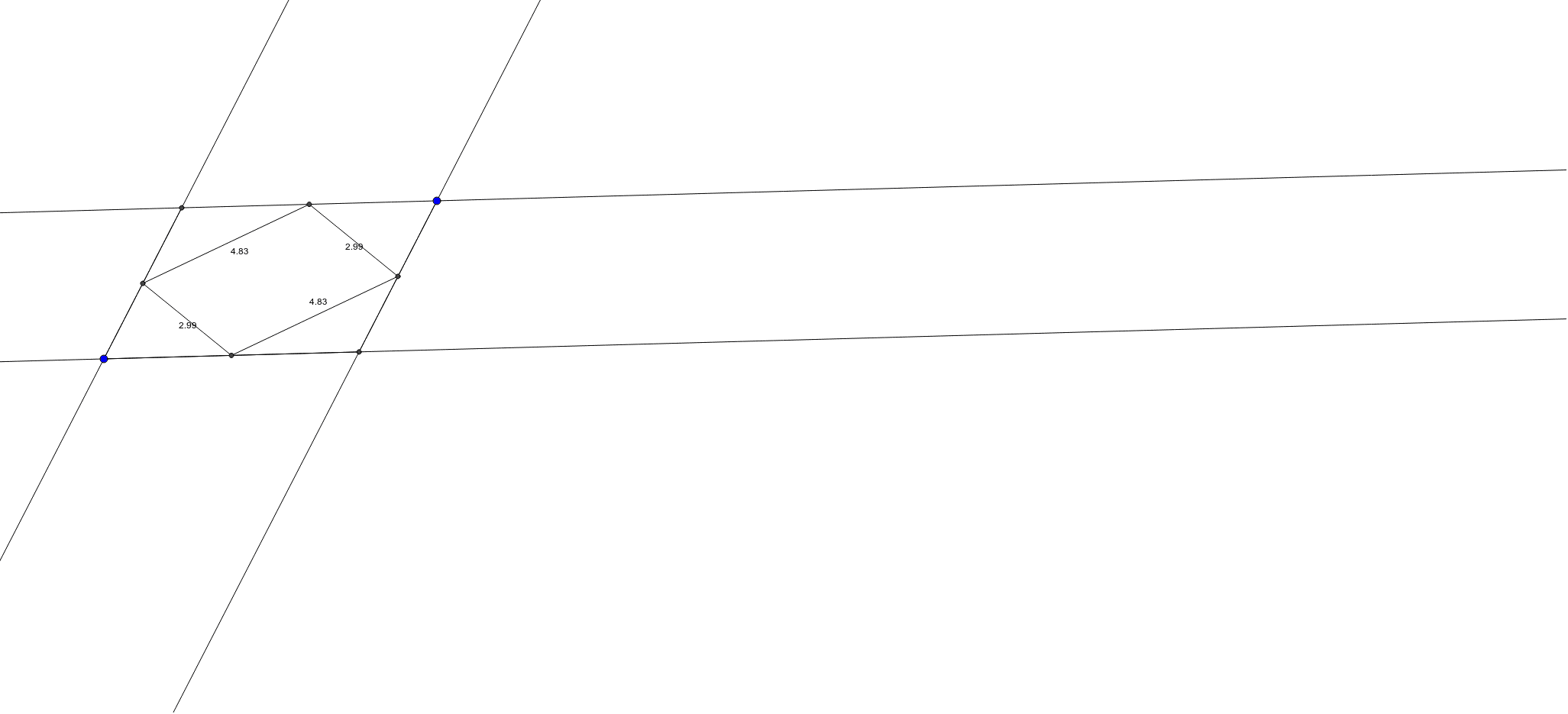
① This example shows how to construct a rhombus in GeoGebra and illustrate its diagonals, angles, sine relationships, and related properties. ② Core mathematical concepts include polygons (rhombus), angles, trigonometric functions (sine), circle‑line intersections, and slope differences. ③ Construction highlights: the commands Line, Intersect, Segment, and Midpoint are used to create vertices A, B, C, D and auxiliary points E, F, G, H, I, J, building diagonals and a circumcircle via midpoints and intersections. ④ Suitable for middle‑school geometry, high‑school trigonometry introductions, and geometric construction teaching demonstrations.
GeoGebra Commands & Parameters
Line(A, B) → aLine(C, a) → bLine(B, D) → cLine(C, c) → dIntersect(a, d) → ESegment(B, E) → eIntersect(b, c) → FSegment(C, F) → fSegment(B, F) → gMidpoint(B, E) → GMidpoint(C, F) → HMidpoint(E, C) → IMidpoint(B, F) → JSegment(G, I) → hSegment(H, J) → iSegment(G, J) → jSegment(I, H) → k
AI Drawing Prompt Reference
Draw a rhombus ABCD. Draw line a through points A and B, draw line b through points C and a, draw line c through points B and D, draw line d through points C and c, let the intersection of lines a and d be point E, connect BE, let the intersection of lines b and c be point F, connect CF and BF, find the midpoints G, H, I, and J of segments BE, CF, BC, and BF respectively, and connect GH, HI, IJ, and JG to form the diagonals and circumcircle of the rhombus.
The prompt above was compiled from the original drawing commands and is for reference only.