
Rhombus and Square Construction Exploration
Loading the math board and drawing, please wait…
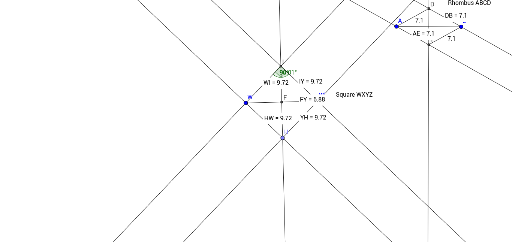
①This example demonstrates how to construct a rhombus and a square in GeoGebra, exploring relationships among side lengths, diagonals, and angles.②Core mathematical concepts include rhombus, square, parallelogram, perpendicular bisectors of diagonals, rotational symmetry, perimeter, and quadratic equations applied to geometric measurements.③Construction highlights: from the summary, commands such as Segment, Line, LineBisector, Intersect, Distance, Point, Angle, Rotate, and Midpoint are used, creating objects A, B, C, D, E, F, G, H, I, W, Y, and measuring distances AE, DB, FY, IY, YH, HW, with angles α and β labeled.④Suitable for middle and high school geometry classes to study properties of special quadrilaterals, step-by-step geometric construction, and dynamic measurement verification, also useful for exploring connections between quadratic equations and geometry.
GeoGebra Commands & Parameters
Segment(A, B) → fLine(A, C) → gLine(B, g) → hLineBisector(f) → iIntersect(h, i) → DIntersect(g, i) → ESegment(E, B) → jSegment(A, D) → kDistance(g, k) → aDistance(A, E) → distanceAEDistance(h, j) → bDistance(D, B) → distanceDBSegment(W, Y) → lLineBisector(W, Y) → mIntersect(m, l) → FDistance(F, Y) → distanceFYPoint(m) → GPoint(m) → HLine(W, H) → nLine(Y, n) → pIntersect(m, p) → ILine(W, I) → qLine(H, Y) → rAngle(W, I, Y) → αRotate(W, 90°, I) → W'Angle(W, I, W') → βDistance(I, Y) → distanceIYMidpoint(I, Y) →Distance(Y, H) → distanceYHMidpoint(Y, H) →Distance(H, W) → distanceHWMidpoint(H, W) →Distance(W, I) → distanceWIMidpoint(W, I) →